Gemma 4 on iPhone: Frontier AI in Your Pocket, No Cloud Required
Something significant happened quietly this week: a frontier-class AI model started running directly on iPhones, with no internet connection, from an official app by the company that built it.
Google's Gemma 4 is now available on iOS through the Google AI Edge Gallery app — and it's genuinely good. The E2B model responded to a location query and rendered an interactive map in 2.4 seconds, entirely on-device, in airplane mode. Simon Willison called it "the first time I've seen a local model vendor release an official app for trying out their models on iPhone." That framing is right.
This post breaks down what Gemma 4 is, what the Edge Gallery app actually does, and why the combination matters — for mobile device control, offline AI access, and what comes next.
What Is Gemma 4?
Gemma 4, released by Google on April 2–3, 2026 under the Apache 2.0 license, is the fourth generation of Google's open model family. It comes in four sizes — but the ones that matter for phones are the two edge-optimized variants:
- → E2B (Effective 2B) — ~2.54GB download, runs in under 1.5GB of memory using 2-bit and 4-bit weight quantization. Fast, lightweight, fits on any modern iPhone.
- → E4B (Effective 4B) — larger, more capable, still mobile-optimized. Designed for devices with more headroom.
Both edge models feature a 32K context window on iOS (via LiteRT-LM), support for 140+ languages, and are built on the same architecture as Gemini Nano 4 — the model Google bakes into Android. They're 4x faster than their predecessors and use 60% less battery. The "Effective" in the name refers to a Mixture-of-Experts design: the full parameter count is higher, but only a fraction activates per inference pass, which is why they stay small and fast in practice.
The 26B and 31B variants exist for server and desktop deployments. For phones, E2B and E4B are the relevant ones.
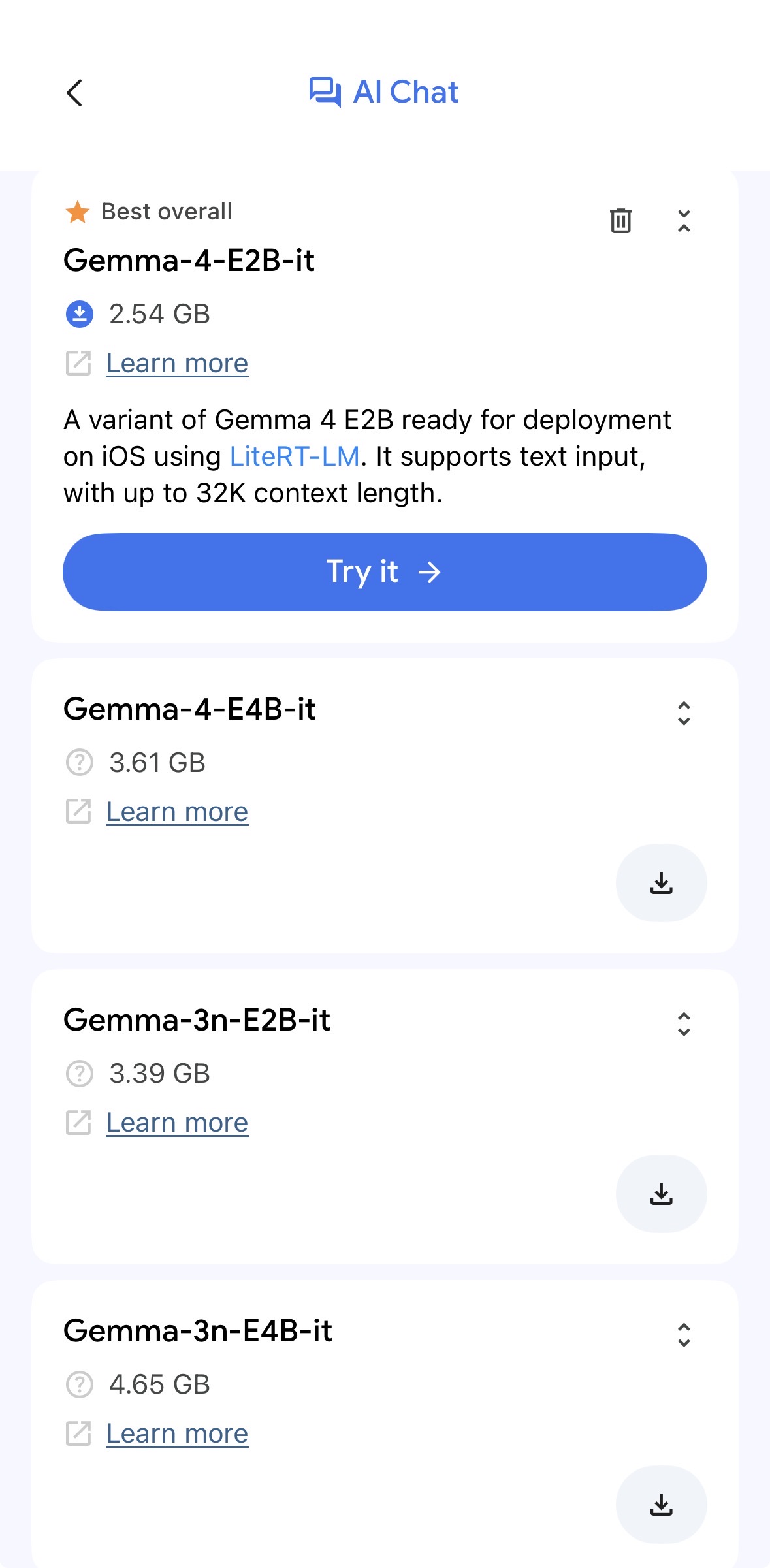
Google AI Edge Gallery on iOS
The Google AI Edge Gallery app is available on both iOS and Android. It broke into the top 10 on the App Store within days of the Gemma 4 announcement — which is notable for an app whose primary use case is running an AI model locally, not connecting to a service.
The app lets you download the E2B or E4B model directly to your device and run inference entirely locally. It supports text, image analysis, and audio transcription — all processed on the phone's own silicon. Nothing leaves the device.
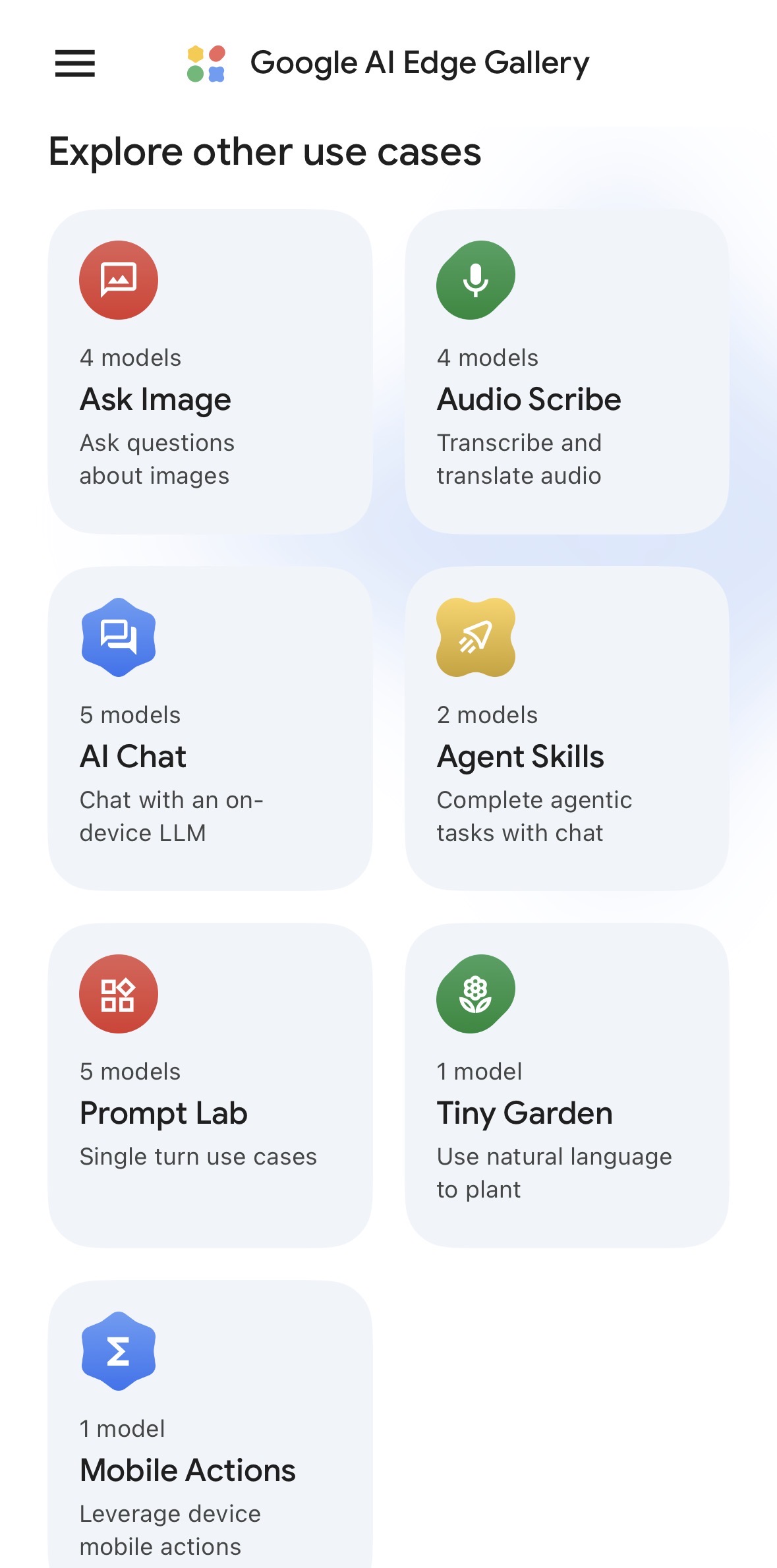
Two features make it more than a demo:
Thinking Mode
Thinking Mode enables the model to reason before answering — running an internal chain-of-thought that produces more accurate answers on harder, multi-step questions. It's the same concept behind o1 and o3's extended thinking, now running entirely on-device.
For practical use: ask a phone running Gemma 4 in Thinking Mode to analyze a document, debug a problem, or reason through a decision — and it works through it step-by-step before responding. All locally. No API call, no latency penalty from a network round trip, no cost per token.
Agent Skills
Agent Skills is the more significant of the two features. It turns Gemma 4 into a tool-using agent that can execute multi-step tasks on-device — autonomously, without cloud orchestration.
In the Edge Gallery app, Agent Skills ships with eight interactive tools:
- → Interactive map viewer — query a location, get an embedded map rendered in the reply
- → Calculator — mathematical operations as a callable tool, not a side effect of text generation
- → Wikipedia query — live knowledge retrieval during a conversation
- → Image + audio synthesis — pair an image with generated music
- → Document summarization and flashcard generation — structured output from long content
The architecture is modular: developers can extend the tool set without fine-tuning the model. Gemma 4 learns which tools to call from the context — the same pattern as function calling in cloud LLMs, now running locally.
This is agentic AI on a phone. Not summarizing text — planning, calling tools, and taking action.
Why This Matters: Mobile Device Control
The current wave of computer-use agents — models that look at screens, decide what to click, and execute multi-step workflows — runs on cloud inference. You send a screenshot to an API, get back an action, repeat. The latency is acceptable for desktop automation but adds up across long workflows.
Gemma 4's Agent Skills on iPhone is an early version of what comes next: the agent running on the device it's controlling.
When the model runs locally, the loop tightens significantly. No network round trips between observation and action. The model can see the screen, reason about it, call a tool, and respond — all in a single pass. The 2.4-second map query demonstrates the cadence: fast enough for interactive use, not just batch tasks.
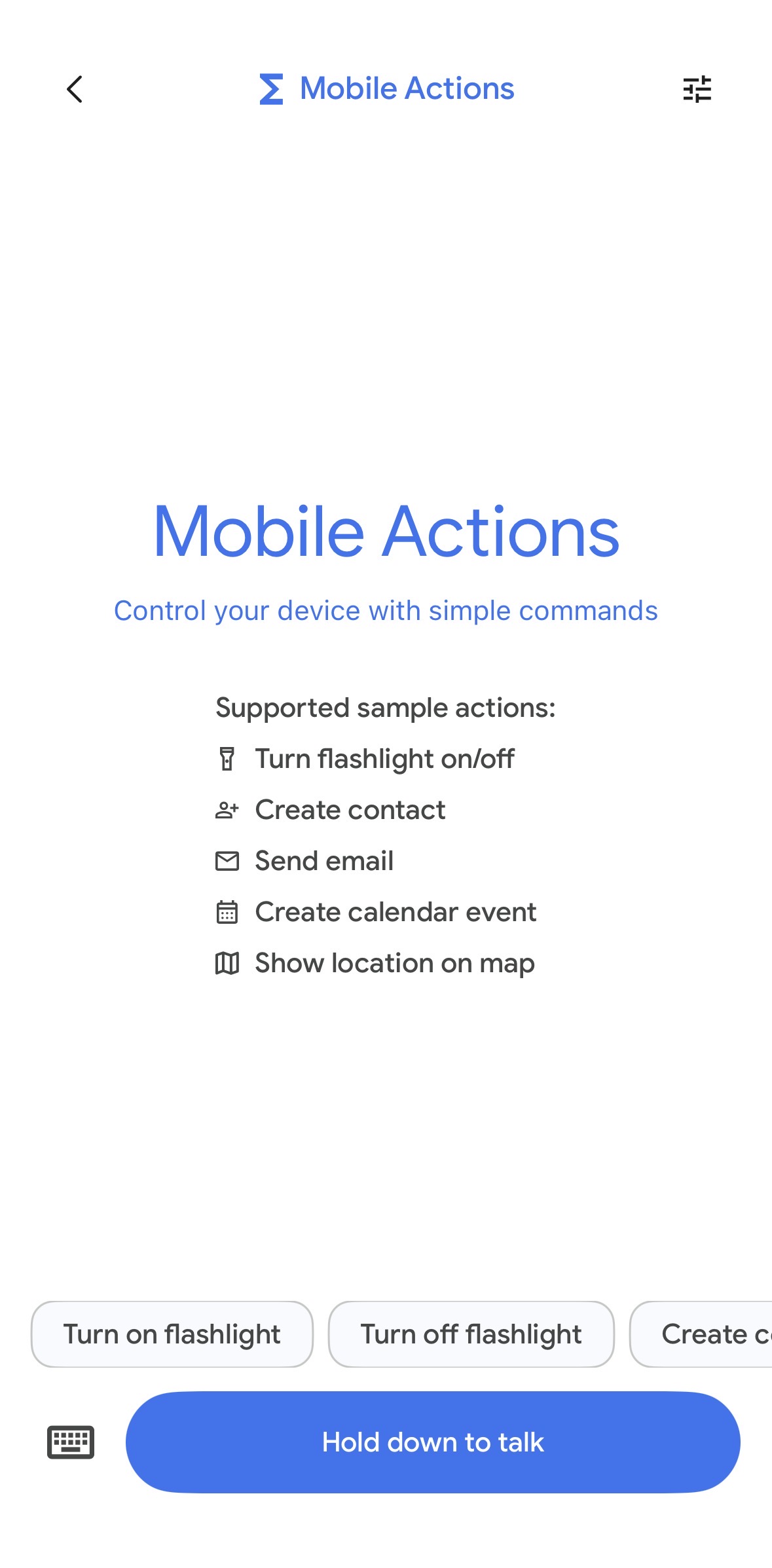
The practical trajectory: once a capable on-device model can call arbitrary tools, the gap between "AI assistant" and "agent that controls my phone" becomes a matter of permission scope, not capability. Gemma 4 + Agent Skills is the architecture. What gets built on top of it is the open question.
Google's own AICore Developer Preview (for Android) exposes the built-in Gemma Nano 4 model to third-party apps via a stable API — meaning app developers can add on-device agentic reasoning to their products without shipping a model themselves. The iOS Edge Gallery is a different entry point but points toward the same convergence.
Why This Matters: Offline LLM Access
Every cloud LLM interaction requires: a network connection, an active account, a paid subscription or API key, and servers on the other end that are operational. Remove any of those and you have nothing.
Gemma 4 on iPhone removes all of them. The model runs in airplane mode, at altitude, in a building with no signal, in a country where the API provider's servers are blocked, on a device with an expired credit card. Once downloaded, it works indefinitely, with no per-query cost and no external dependencies.
This matters in specific contexts more than the average user realizes:
- → Field work — researchers, surveyors, emergency responders operating in areas without connectivity
- → Regulated industries — healthcare workers who cannot route patient data through external APIs
- → Education — students in regions with limited or censored internet access
- → Enterprise — companies that need AI tooling but can't route corporate data through third-party APIs under their existing compliance framework
- → Travel — crossing time zones, network gaps, data plan constraints
The E2B model's 2-bit quantization means it fits in under 1.5GB of active memory — well within what any current-generation iPhone can sustain alongside normal usage. This is not a beta limitation that gets resolved with better hardware. It's a solved problem now.
The Privacy Argument
On-device inference means the model never sees your data leave the device. There is no API call to intercept, no server log to subpoena, no training pipeline that ingests your conversations.
For consumer use, this is a comfort. For professional use, it's often a requirement. When the data is sensitive — a medical note, a legal brief, an unreleased financial model, a private communication — the question isn't whether the cloud provider's privacy policy is good enough. It's whether any cloud provider is an acceptable risk at all.
On-device Gemma 4 removes that risk category entirely. The answer to "where does my data go?" is "nowhere."
What It Can't Do Yet
A few honest limitations:
- → No persistent conversation history. The Edge Gallery app doesn't store conversations. Each session starts fresh. This is a design choice, not a model limitation.
- → Stability. Early users report occasional freezes during complex Agent Skills workflows. First-version behavior.
- → Not matching frontier on hard tasks. GPT-5 and Claude Opus substantially outperform 2B–4B models on complex reasoning. For straightforward tasks — summarization, translation, Q&A, agent tool calls — E2B is capable. For nuanced research or multi-hop reasoning chains, the gap shows.
- → Tool set is still narrow. Eight built-in tools is a start. The real unlock is third-party developers extending the tool set — that ecosystem doesn't exist yet.
How to Try It
Install the Google AI Edge Gallery app from the App Store, download the E2B or E4B model (E2B fits on any recent iPhone without issue), and run it. No account required, no API key, no subscription.
Enable airplane mode after the download and everything continues working. That's the point.
---
The trajectory here is clear. On-device models are getting faster, smaller, and more capable with each generation. The infrastructure for running agentic workflows locally — tool-calling, multi-step planning, modular skills — is now shipping in consumer apps. The device in your pocket is increasingly a capable inference platform, not just a thin client for cloud APIs.
Gemma 4 on iPhone is the first credible version of what mobile AI actually looks like when it takes privacy and offline operation seriously. It won't be the last.
---
Resources: