app.agentrq.com/workspaces/.../settings
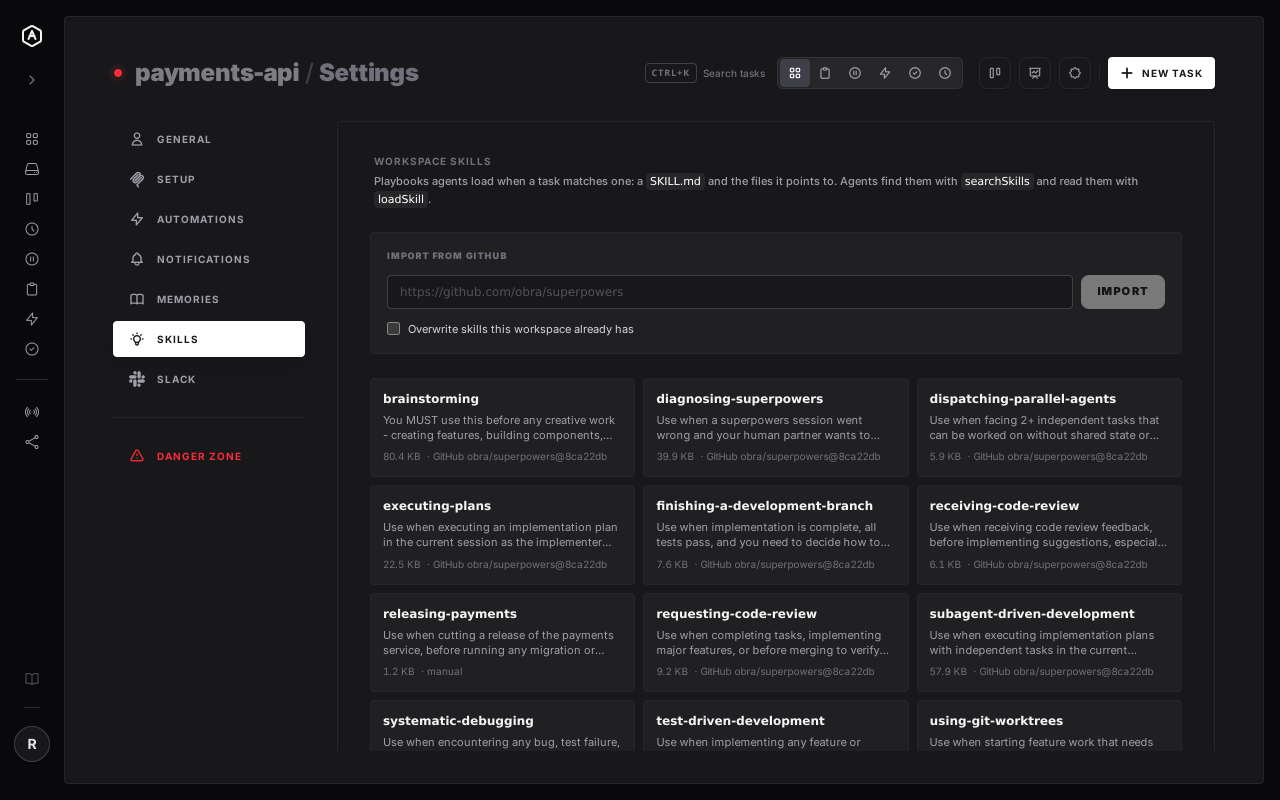
The Skills tab in workspace settings. These came from one GitHub link — every skill stamped with the commit it was imported from.
A skill is a playbook an agent follows when a task matches it. Keep yours in AgentRQ instead of in a directory on one machine, and every agent — any model, any workspace, any computer — loads the same current version. Nothing to copy, nothing to keep in sync.
The Skills tab in workspace settings. These came from one GitHub link — every skill stamped with the commit it was imported from.
Four skill tools on the workspace MCP server, and an agent that fetches only what the task needs.
Every agent that connects is told to call searchSkills at the start of a task. It gets names and descriptions — enough to choose, not enough to cost context.
loadSkill fetches one file. The checklist a skill mentions in step one arrives in step one — not before, and never for a skill this task did not need.
When an agent finds a better way, saveSkill puts it in the workspace's own skill — so the next agent starts from the improvement instead of rediscovering it.
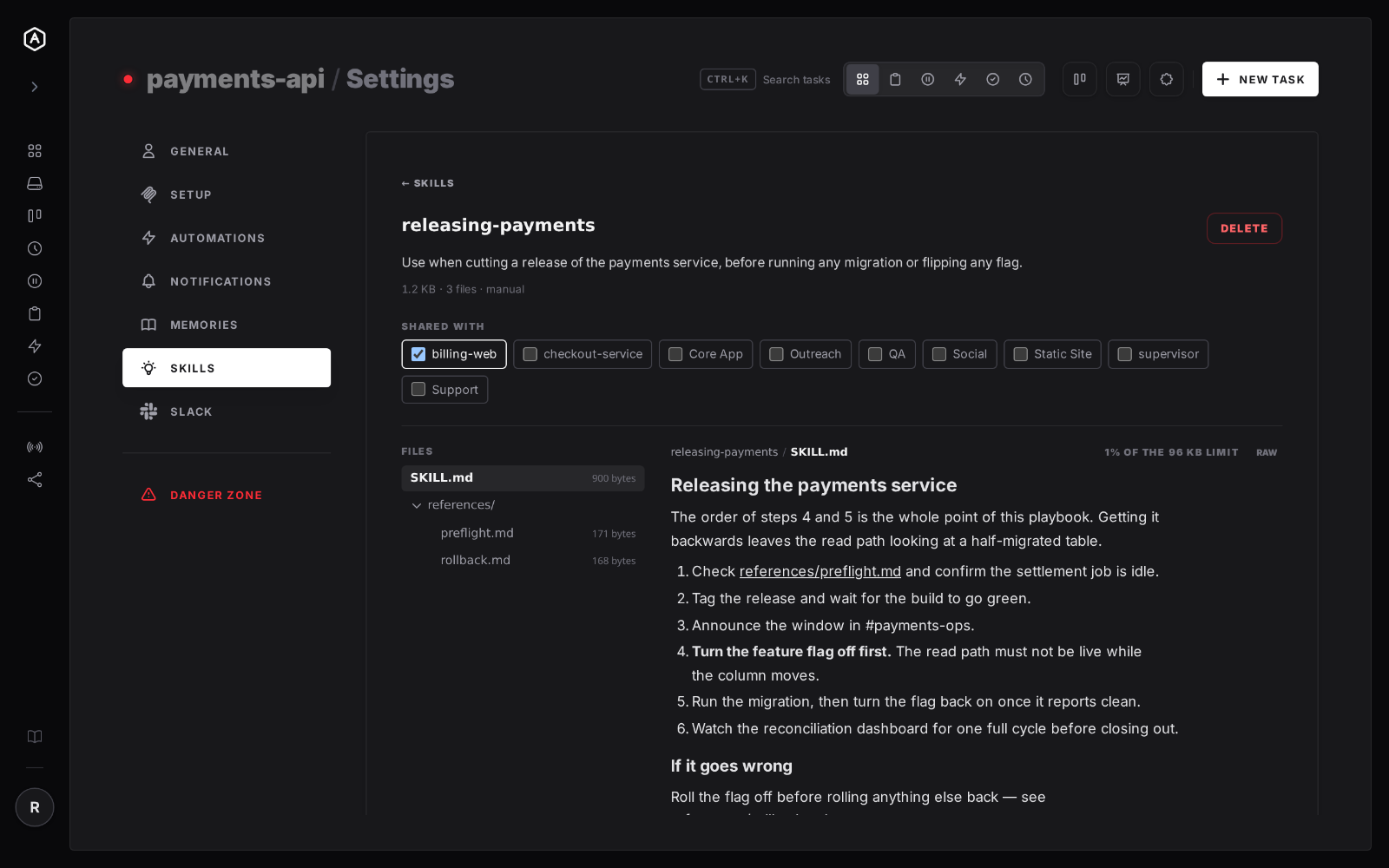
Share a skill with another workspace in your account and it is not duplicated — the other workspace reads the same skill, live. Fix a step once and every workspace it is shared with is already correct, because there was only ever one of them.
Only the workspace that owns a skill can change or delete it; everywhere else it is read-only. That is the difference between a shared playbook and five playbooks that agree for now.
It is the same SKILL.md format Claude Code and Antigravity
use, so your existing skills work unchanged. Paste a public GitHub link in
Settings → Skills and import a whole repository or a
single skill's folder. Plugin manifests are honoured.
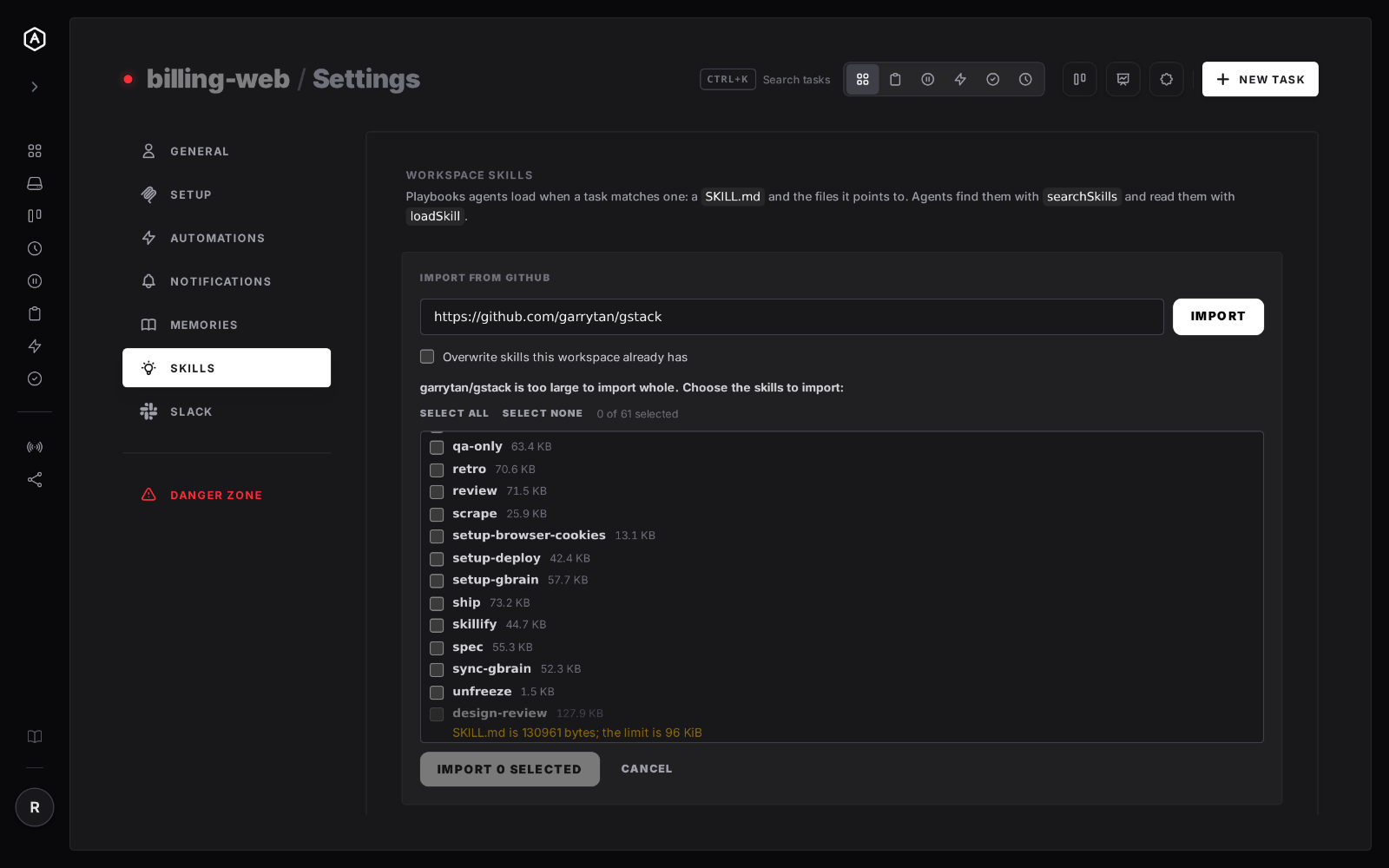
A repository too large to take whole is listed instead: tick the skills you want and only their files are downloaded. The import report names everything it skipped and why — a size, a binary, a name already taken — because an import that quietly brings in most of something is worse than one that refuses.
Playbooks that belong to your work rather than to whichever laptop happened to write them.
Editing the skill is the deployment. There is no second step where the fix reaches the machines — they ask each time.
Procedures in a config file tax every task. A skill the task does not match costs its one-line description and nothing else.
Laptop, office box, a task firing at 3am. Same workspace, same skills, nothing installed in anyone's home directory.
Agents write improvements back, so your playbooks ratchet forward instead of resetting to zero every task.
SKILL.md holds up to 96 KiB, every other file up to 64 KiB of UTF-8
text, and a skill up to 64 files. Anything over is rejected with a message saying what to change — a
playbook silently cut in half is one with the last step missing. Skill content is stored on the AgentRQ
server, in a local directory or an S3-compatible bucket of your choosing, with only metadata in the
database. Sharing is limited to workspaces in the same account.