app.agentrq.com/workspaces/.../settings
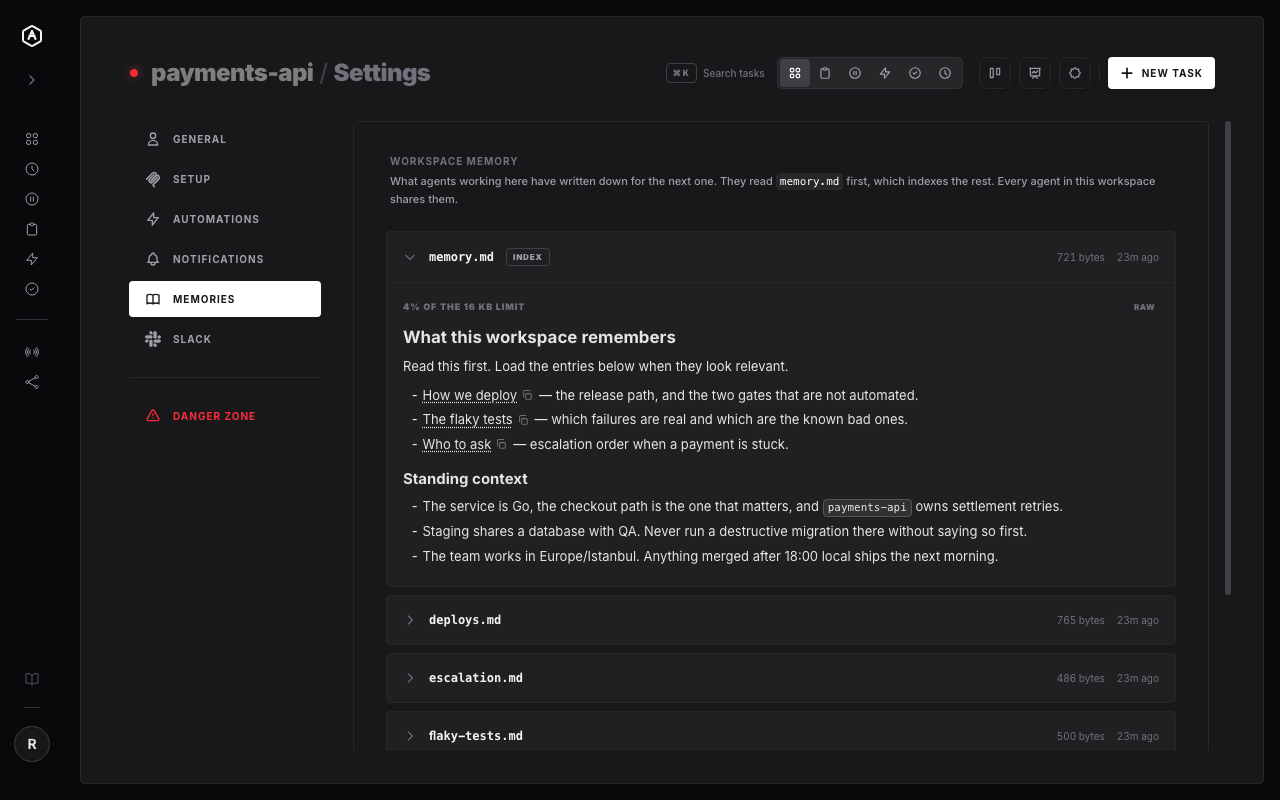
The Memories tab in workspace settings. Every note here was written by an agent through the memory tool's save action — nothing was typed into a form.
The Memories tab in workspace settings. Every note here was written by an agent through the memory tool's save action — nothing was typed into a form.
A memory tool on the workspace MCP server, and an index that keeps the rest findable.
Every agent that connects is told to call memory load before asking you something you may already have answered. With no payload it reads MEMORY.md, the index.
When it works something out that would save the next agent the same detour, memory save files it under a name and links it from the index.
The memory belongs to the workspace, not the agent that wrote it — so the next task begins with it even if it is a different model, on a different machine, a week later.
A single notes file rots the way a single README rots. So MEMORY.md stays short and points at
named memories — deploys, flaky tests, who to page — as
memory:// links. An agent reads the index, then loads only
what this task actually needs.
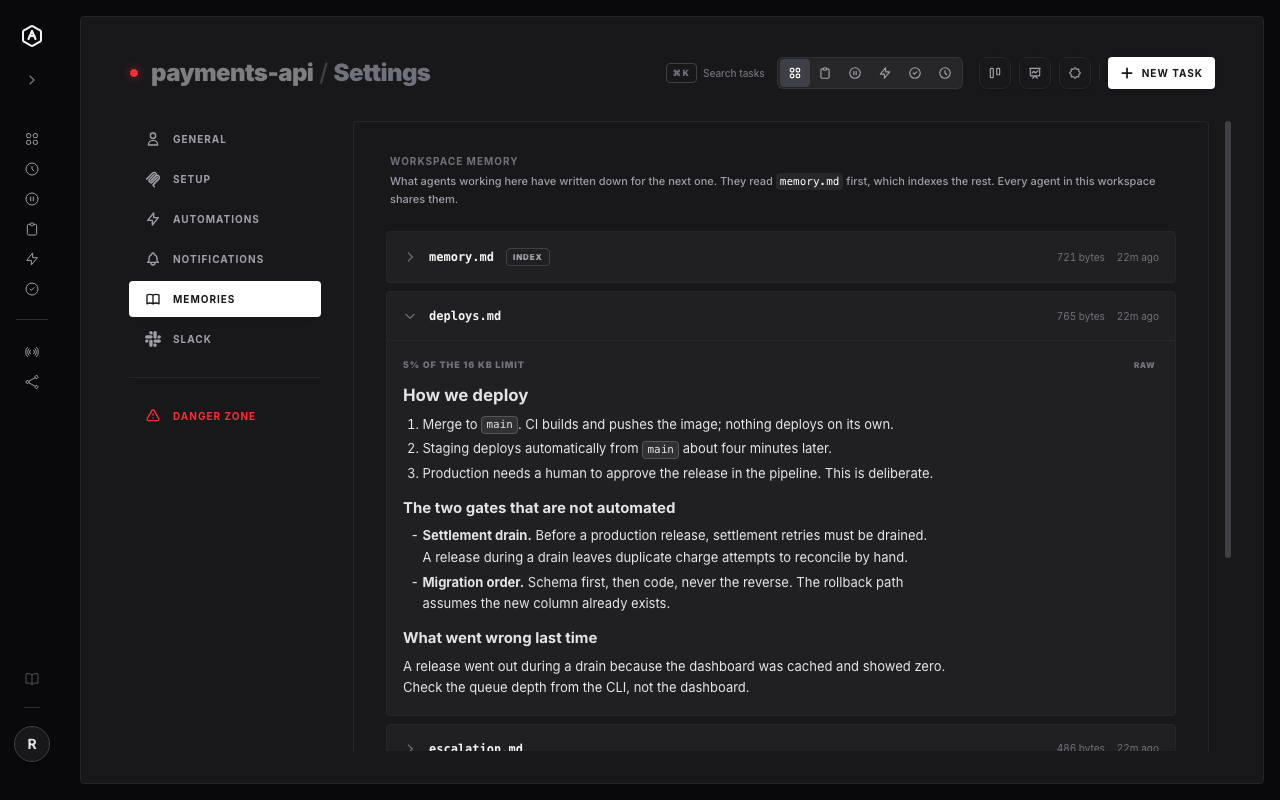
Those links work for you too: click one in settings and that memory opens in its place. What you get is closer to a small internal wiki the agents maintain themselves.
Memory that belongs to your work rather than to one vendor's config file.
Claude for this, Gemini for that, Codex when it suits. Changing model stops costing you your context.
Two agents in one workspace share one set of notes, so you stop being the message bus between them.
Laptop, office box, CI runner, a task firing at 3am. Same workspace, same memory, nothing to copy.
Settings shows every note, its size and when it changed — so you can check what your agents believe before it costs you.