AgentRQ for Chrome: Your Agents Can Now Use Websites
The AgentRQ extension is live on the Chrome Web Store. It puts your whole AgentRQ workspace one click from the toolbar, including the live Claude Code terminal each agent is working in. And it does one thing nothing else did before: it lets your agents talk to the websites you use.
Some websites now offer tools to AI agents through WebMCP: search this, open that, create a ticket, post a comment. Until now only an agent running inside that same browser tab could call them. The extension removes that limit. Share a site with a workspace, and every agent connected to it can call the site's tools, whether it runs in a terminal on your laptop or on a server in another building.
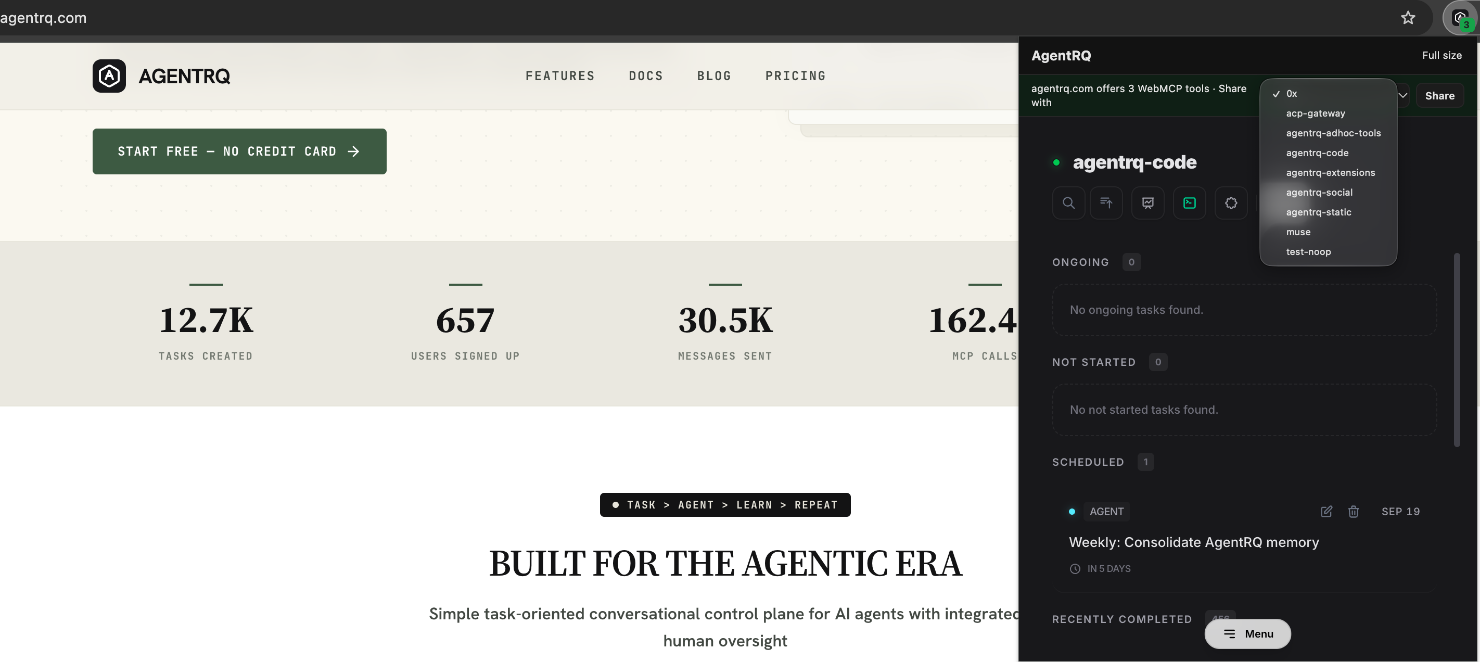
That is agentrq.com itself: the icon's green 3 is its three tools, and the strip is one click from handing them to a workspace.
What It Does
Install it, pin it, and click the icon (or press Alt+Shift+A). You get the AgentRQ app in a phone-sized popup: your task board, the questions agents are blocked on, and the approvals they are waiting for. Full size (or Alt+Shift+F) opens it in a tab when you want the room. It uses your existing AgentRQ sign-in, in light or dark.
Claude Code, Right in the Popup
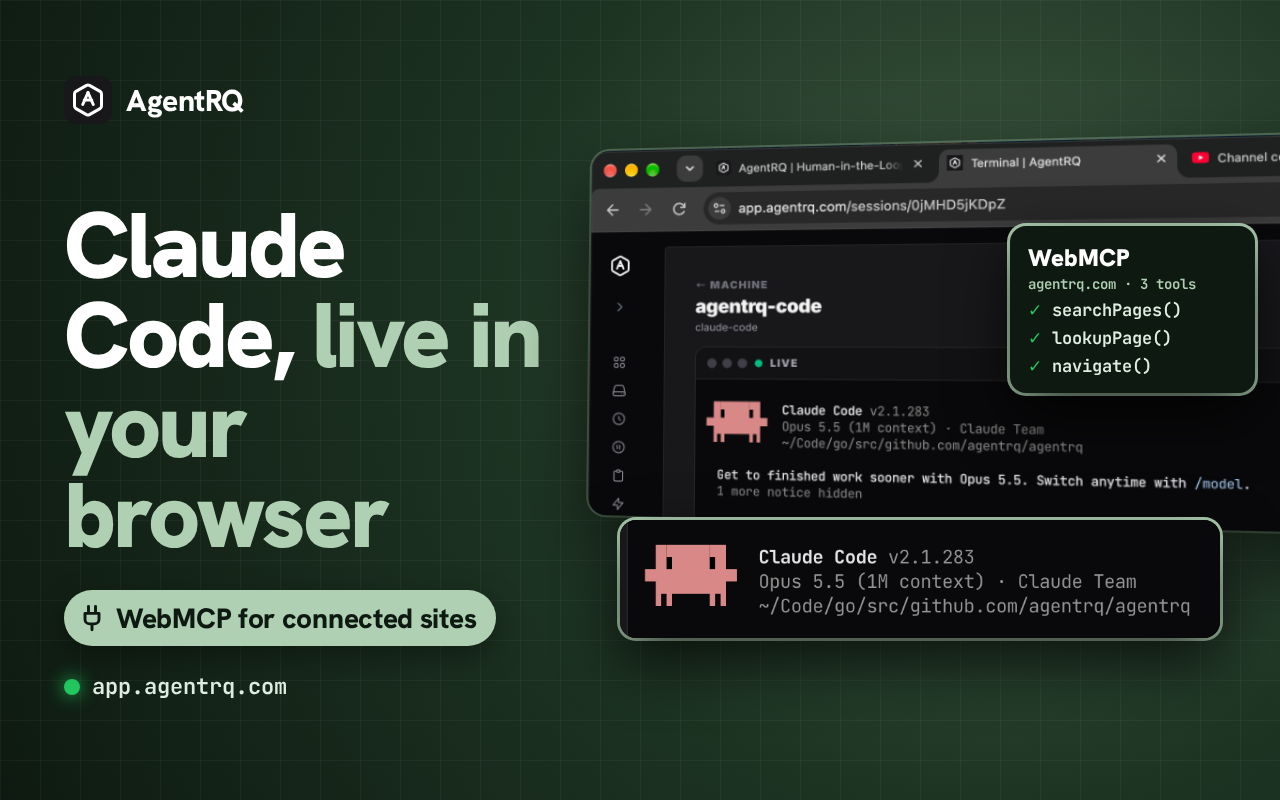
Open any agent and you get its live Claude Code terminal, inside the extension. Not a log, not a summary: the real terminal, as it runs. Watch it work, scroll back through what it did, or type into it and take over when it goes the wrong way.
It works for agents on any computer you have connected with AgentRQ Machines. The agent on your laptop, the one on the build box under your desk and the one on a cloud server all open the same way, from the same toolbar button, on whatever page you happen to be on. You no longer need an SSH session, a tmux attach, or a spare terminal window to check what an agent is doing. You need Chrome.
The Bridge, in Three Clicks
Turn on detection. It is off until you ask for it. Once on, the AgentRQ icon shows a small green count on any site that offers WebMCP tools. The extension only notices tools the page itself registers with Chrome. It never adds tools to a page and never changes one.
Share the site. The popup shows a strip: "this site offers 3 WebMCP tools · Share with" and a workspace picker. Pick one and click Share. Nothing about the site leaves your browser before this click.
Ask an agent. Every agent in that workspace can now list the site's tools, read what each one takes, and call it. You do not install anything on the agent's side, you do not paste a token, and you do not write a line of glue code. The agent already talks to AgentRQ over MCP, and the site's tools arrive through the same connection.
Local Agent, Remote Agent, Same Site
Here is what makes this different from a browser agent. The agent does not have to be in the browser at all.
A Claude Code session on your laptop can call the site. So can a Codex agent on a build box you connected with AgentRQ Machines, or a scheduled agent that wakes up at 3am on a server. The call travels from the agent to AgentRQ, from AgentRQ to your Chrome, runs in the site's own tab, and the answer goes back the same way.
It runs as you. The tool call happens in your signed-in Chrome, with your session on that site. The agent never sees your password or your cookies, and the site never learns that the request came from a machine on the other side of the world. It just sees you, in your own tab, using a tool it chose to offer.
If you closed that tab, the extension reopens the site in the background when a call needs it. If Chrome is closed, the agent is told the site is offline rather than left waiting.
You Stay in Control
Sites mark their tools as read-only or not. Read-only tools, like a search, just run.
Anything else asks you first. When an agent wants to call a tool that changes something, the request shows up in the task it is working on with three choices: Allow once, Always allow that tool on that site, or say no. You see the tool's name and the exact arguments before you decide. "Always allow" is remembered per tool and per site, so you can wave through the harmless ones and keep a hand on the rest.
Stop sharing in the popup, or in Options, takes a site back at any time.
What This Unlocks
Every website with WebMCP becomes a tool your whole fleet can use. Before, an agent reached a website one of three ways: an API key someone had to issue and store, a scraper that broke when the page changed, or a browser agent that had to sit in your tab and click. WebMCP gave sites a clean fourth way, but only for an agent in the same browser. The bridge takes that clean way and hands it to every agent in the workspace. A site that ships WebMCP tools becomes usable by your agents the day you click Share, with no integration work on anyone's side.
Your remote agents get your logins without getting your credentials. The hard part of letting a server-side agent use a web app was never the API. It was authentication: service accounts, tokens with too much scope, secrets in environment files. The bridge sidesteps all of it. Your browser is already signed in; the agent borrows that session for one call at a time, through a tool the site designed for it, and you approve anything that writes. Nothing to rotate, nothing to leak.
Talking to a site becomes part of a task, not a side trip. An agent working through a task can look something up on a docs site, file the follow-up in your tracker, or check a dashboard, and the approval for each write lands in the same task thread where you are already answering its questions. The site is just one more thing the agent can do, in the same place as everything else it does.
It works with the agents you already run. Any agent connected to the workspace gets the shared sites, whether it is Claude Code, Codex or Antigravity. There is no per-agent plugin and no per-site setup. Share once, and the next agent that picks up a task in that workspace can use it.
Frequently Asked Questions
Which sites work?
Any site that registers WebMCP tools with Chrome. It is a young standard, so the list is short but growing. agentrq.com itself offers three tools (searchPages, lookupPage and navigate), and the AgentRQ app offers its whole interface, so you can try the bridge on both today.
Does the extension read the pages I visit?
With detection on, it runs a tiny script that only checks whether a page registers WebMCP tools, and only in the top frame. Nothing is sent anywhere until you share a site. After that, only that site's tool list, its last address, and the results of the calls your agents make go to your own AgentRQ server.
Can an agent share a site by itself?
No. Only you can share a site, from the popup, and only one site at a time.
Does my computer have to be on?
Yes. The calls run in your Chrome, so it has to be open. If it is not, the agent is told the site is offline.
Does it work with a self-hosted AgentRQ?
Yes. Set your server's address in the extension's Options.
Try It
Install AgentRQ for Chrome, sign in, and turn on detection. Open agentrq.com, share it with a workspace, and ask an agent to search the docs for you. The extension is open source, in the agentrq repository; site sharing landed in PR #704.
---
AgentRQ is currently in public beta. Join our GitHub community to help shape the future of human-agent collaboration.