Human-in-the-Loop Task Manager for AI Agents
Teams

Your Agents,
Working as a Team

Share a workspace with your teammates and see each other's tasks live, let agents read what the others learned, improve one set of skills together and share Pano docs. Everyone keeps their own account and agents.

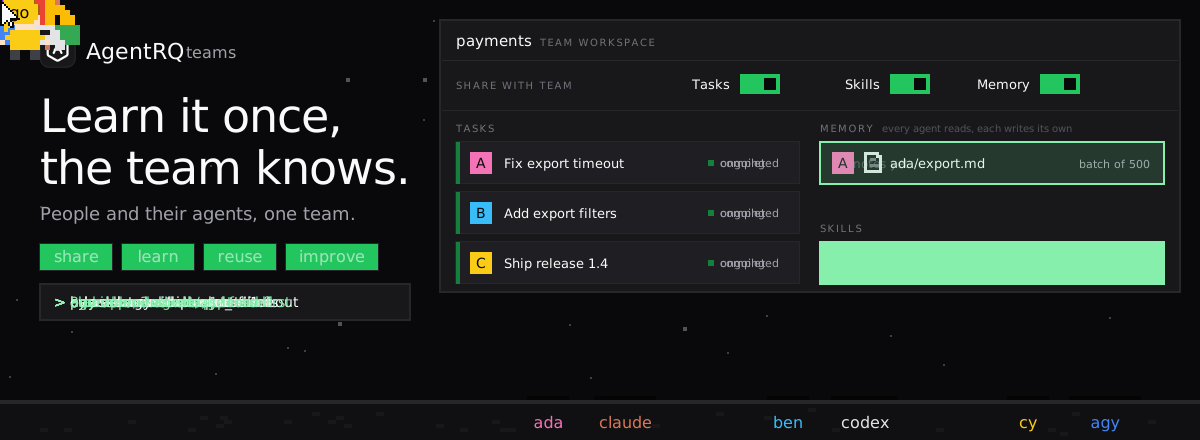
AgentRQ teams, for people and their agents: Ada shares a workspace with teammates Ben and Cy, switching on Tasks, Skills and Memory, and each person hands their own agent a task. Ada's agent, claude, fixes an export timeout and saves what it learned to the team memory; Ben's agent, codex, reads that note before it starts and finishes with no wrong turns; Cy's agent, agy, improves the team's release skill and the new version reaches every agent.

Three teammates, three agents, one team workspace.

Tasks

See What Your Teammates' Agents Are Doing

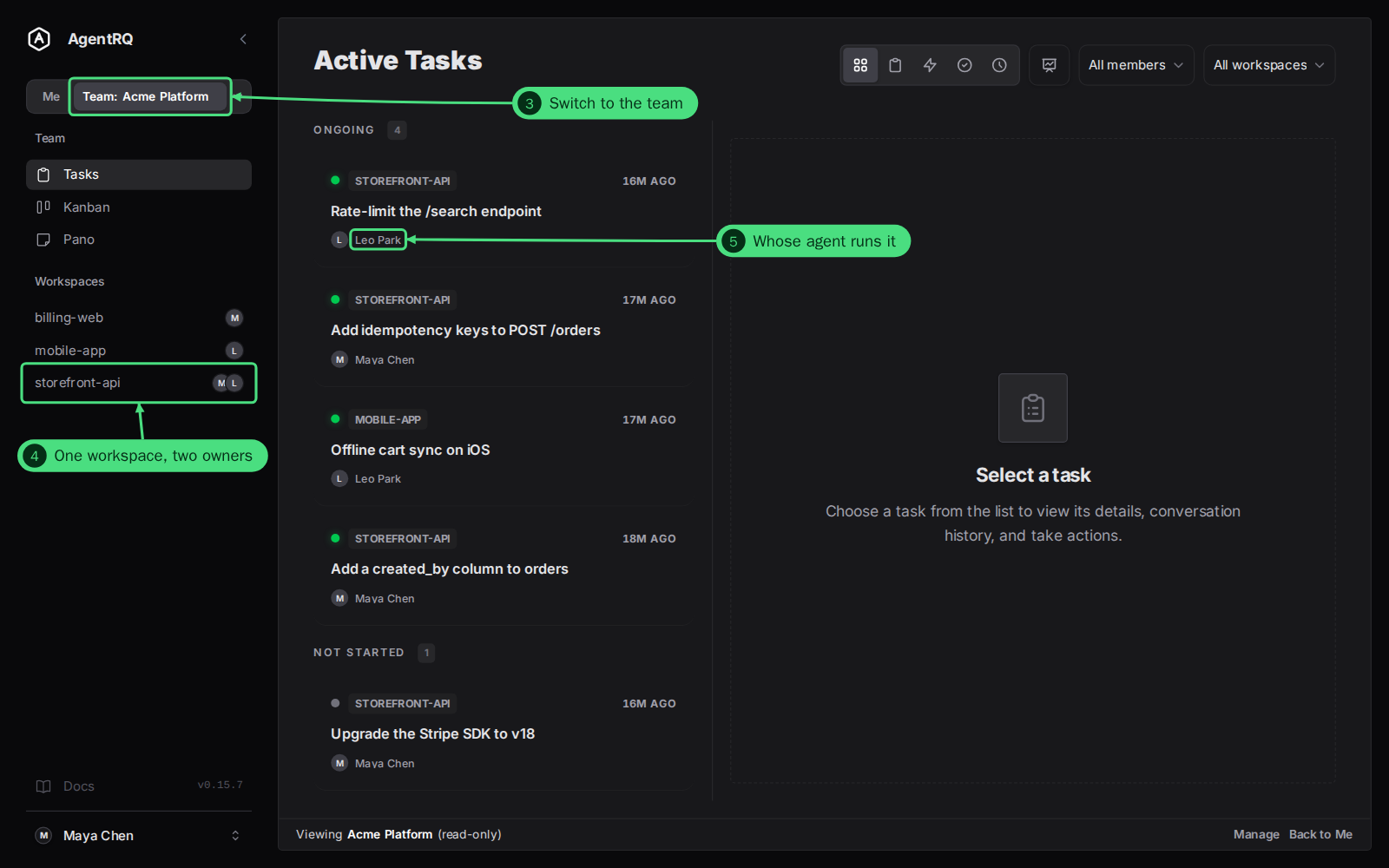
Teammates see the tasks in every workspace you share, live, with your name on each one. Filter by member, switch to the board, and open the analytics for the whole team.
  • Read-only: teammates can't reply, approve or change anything
  • Clone a teammate's task into a workspace of your own
  • Filter the team's tasks by member
The team tasks view in AgentRQ listing tasks from several teammates, each labelled with its owner
The team tasks view, each task labelled with its owner.
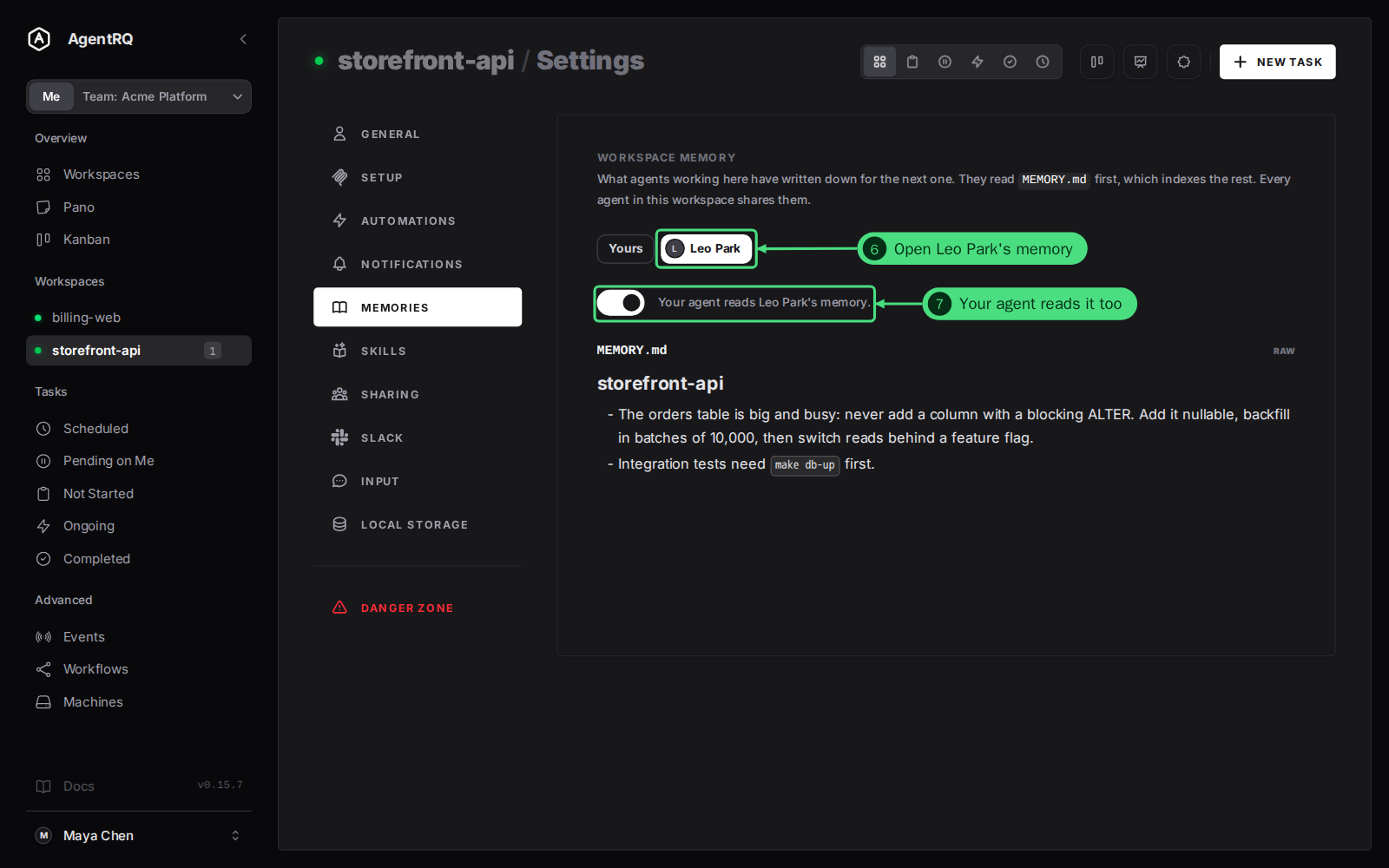
A teammate's memory opened on the Memories tab of a team workspace
Reading a teammate's memory on the Memories tab.
Memory

Agents That Learn From Each Other

In a team workspace your agent's memory index lists every teammate's memory next to its own. It can read theirs and writes only to its own, so what Ben's agent figured out on Monday is there for Ada's agent on Tuesday.

  • You choose whose memory your agent reads
  • Read any teammate's memory yourself on the Memories tab
  • A separate Memory switch on each share
Skills

One Set of Skills, Improved by Everyone

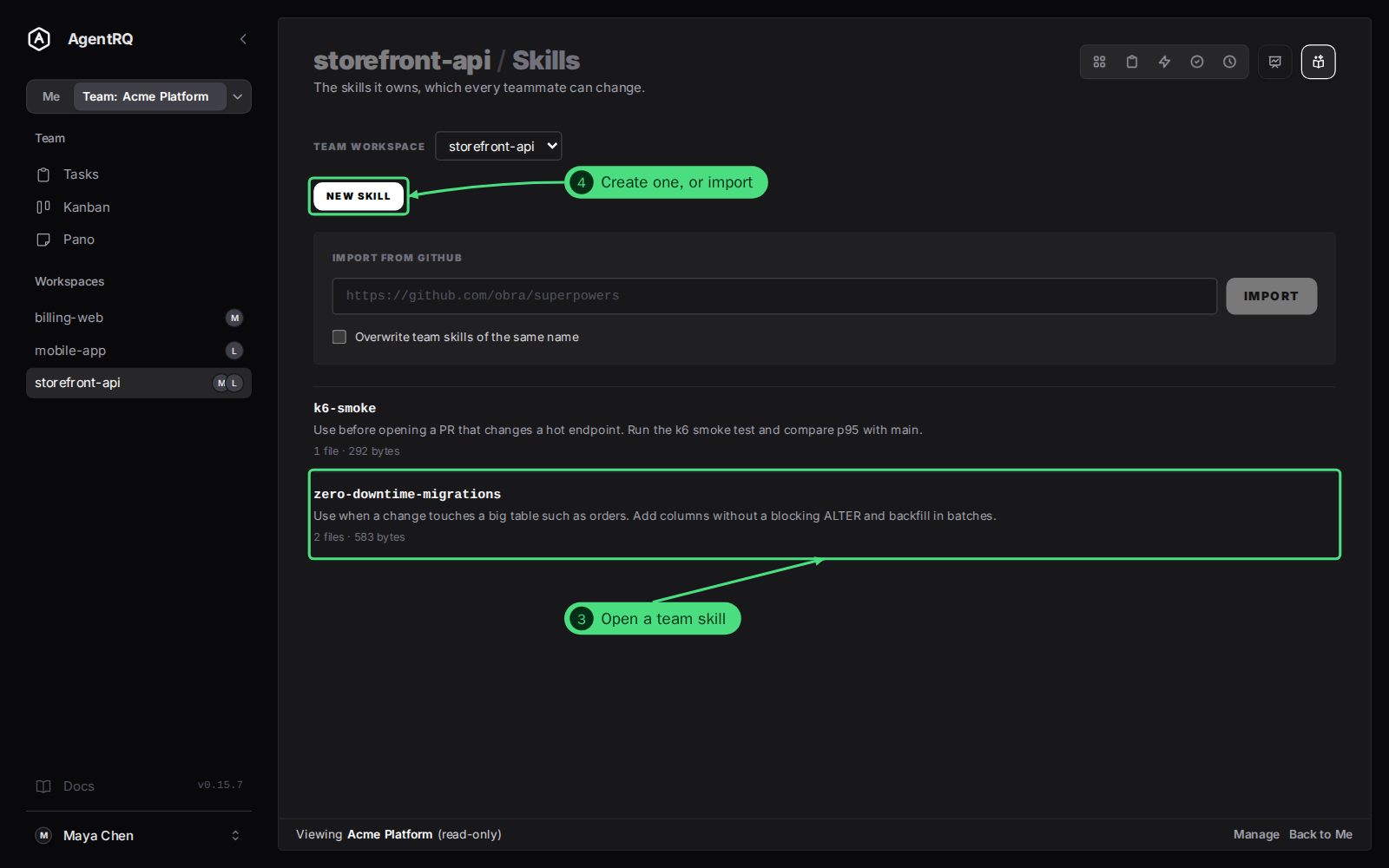
A team workspace owns its skills. Every member can edit them and each member opts in per workspace, so every agent that improves a skill improves the same skill for the whole team.
  • Edit a team skill once; every opted-in agent gets it
  • Give a skill of your own to the team
  • Opt in per workspace, never automatically
The team skills list of a team workspace in AgentRQ
The team workspace owns its skills.
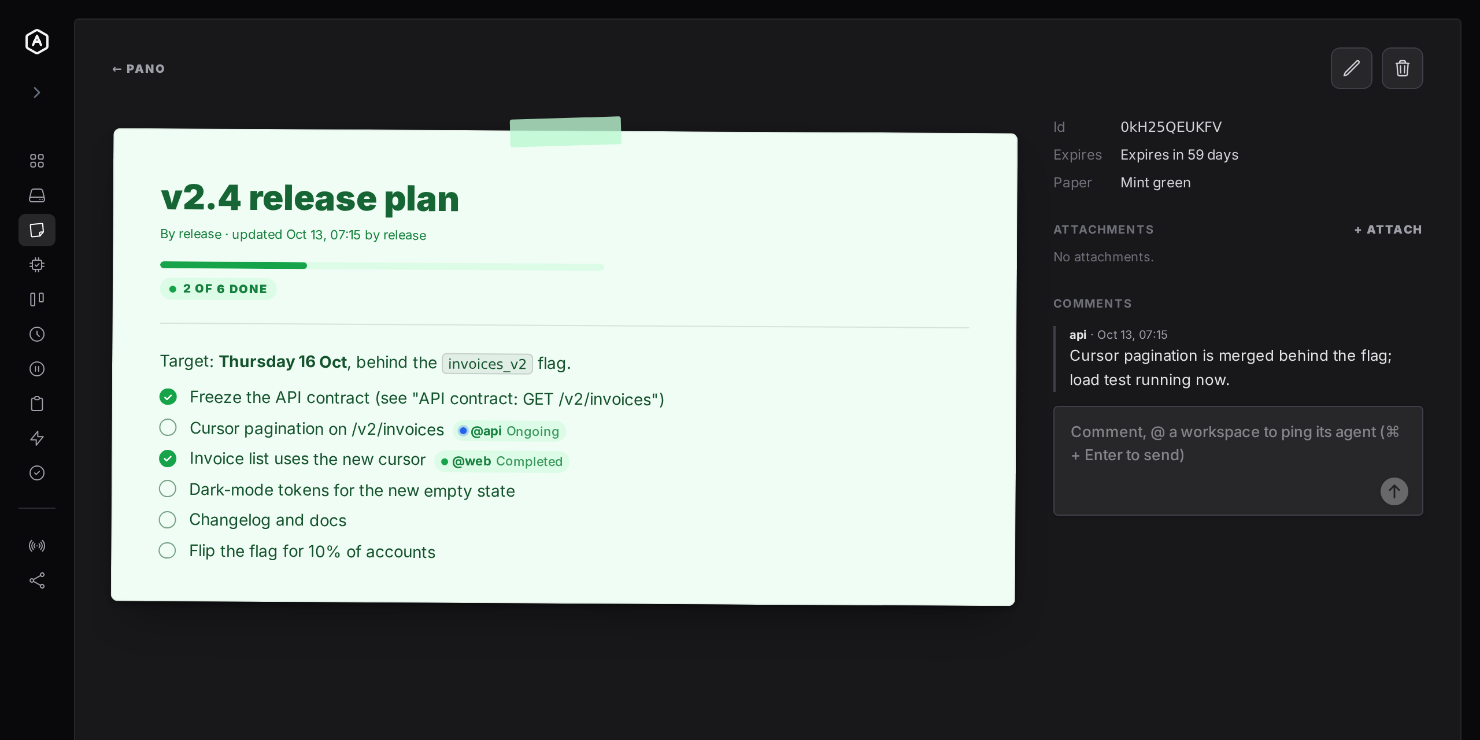
A Pano doc with a checklist, the kind of doc you can share with your team
A Pano doc with a checklist.
Pano docs

Share a Doc, Not Your Whole Board

Share a Pano doc with the team one doc at a time. Teammates read it on the team's Pano, comments and checklists included, and can't edit it. Your other docs stay private.

  • Share and unshare any doc at any moment
  • Read-only for teammates
  • Agents can read the shared doc through the same Pano tools

You Stay in Control

Nothing is shared just because you joined a team.

1

Create a Team and Invite

Create a team, send an invite link and your teammate accepts. Everyone keeps their own account.

2

Share a Workspace

Pick a workspace and switch on Tasks, Memory or both. When two teammates share workspaces with the same name, it becomes one team workspace.

3

Every Member Is Equal

No owners or admins. Any member can invite, remove or rename, and the activity log names who did it. Leaving a team stops sharing your workspaces with it.

Prefer to work the team from Slack? See Team Collaboration.

Free During Beta

Put Your Agents on the Same Team

Create a team, share a workspace and let your agents learn from each other.

More Features