app.agentrq.com/workspaces/.../tasks/...
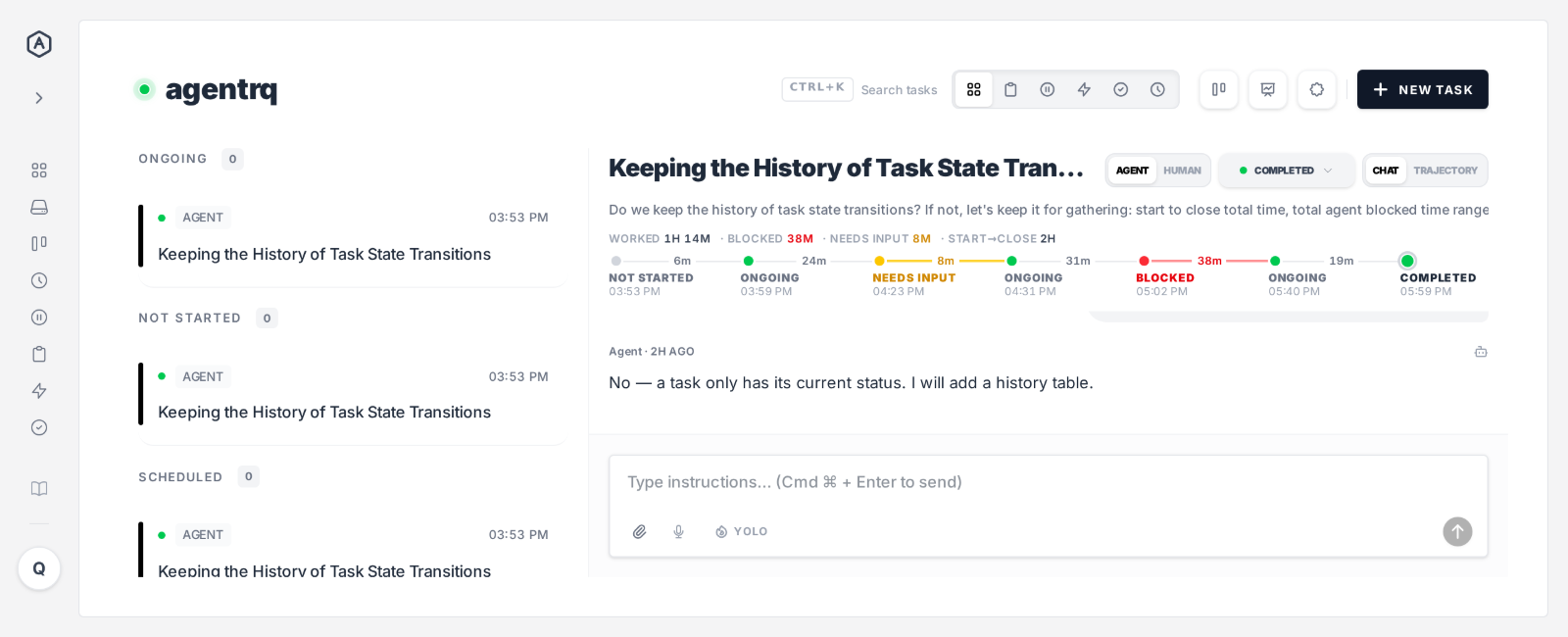
A completed task. The agent worked 1h 14m, waited 8 minutes on a question and sat blocked for 38 minutes. Start to close: 2 hours.
A completed task. The agent worked 1h 14m, waited 8 minutes on a question and sat blocked for 38 minutes. Start to close: 2 hours.
One dot per state, the time on the line between them, and the totals on top.
Not started, ongoing, blocked, completed, rejected, scheduled: each change of status is recorded the moment it happens, and the time spent in each state is written on the line to the next dot.
Red is time blocked. Yellow is time waiting on your answer. The current state pulses, and its time keeps counting live while you watch.
Time worked, time blocked, time waiting for input, and start to close, added up for you. On a phone it folds into one line: the dots and the total time.
When an agent asks you something, such as a permission request or a form question, the timeline turns yellow and starts counting. When you answer, it goes back to ongoing.
The task itself stays ongoing the whole time. Needs input lives only in the timeline, so your queues, counts and agents see exactly what they saw before.
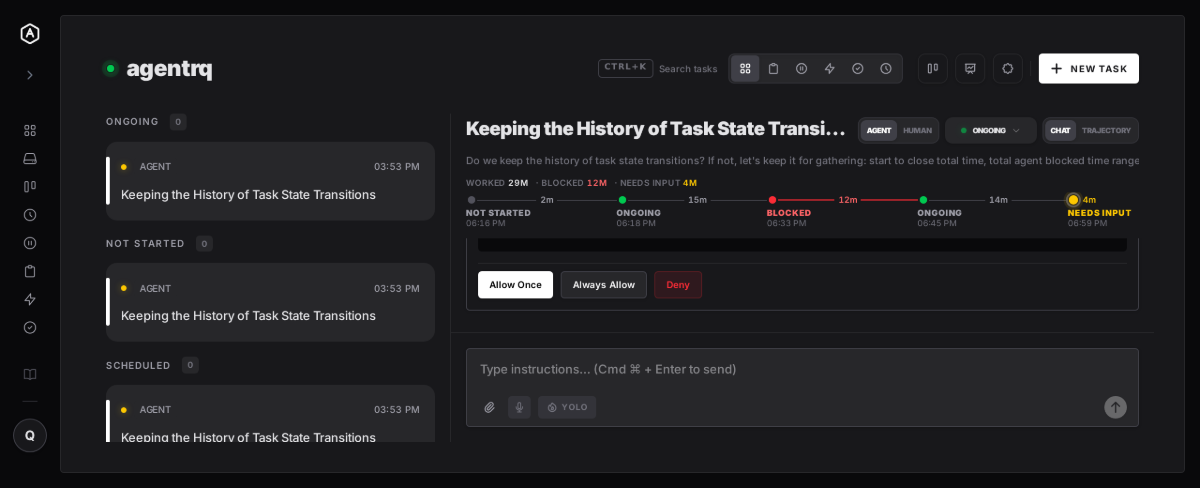
Before, a task kept only its current status. Now it keeps the whole story.
Start to close, per task. The number you want when deciding what work is worth handing to an agent.
Two hours of work and two hours of waiting for a click look the same from the outside. Now they don't.
Every blocked stretch stays on the record in red, with its length, long after it is over.
No more "Status updated to" lines between your messages. The timeline says it once, with times.
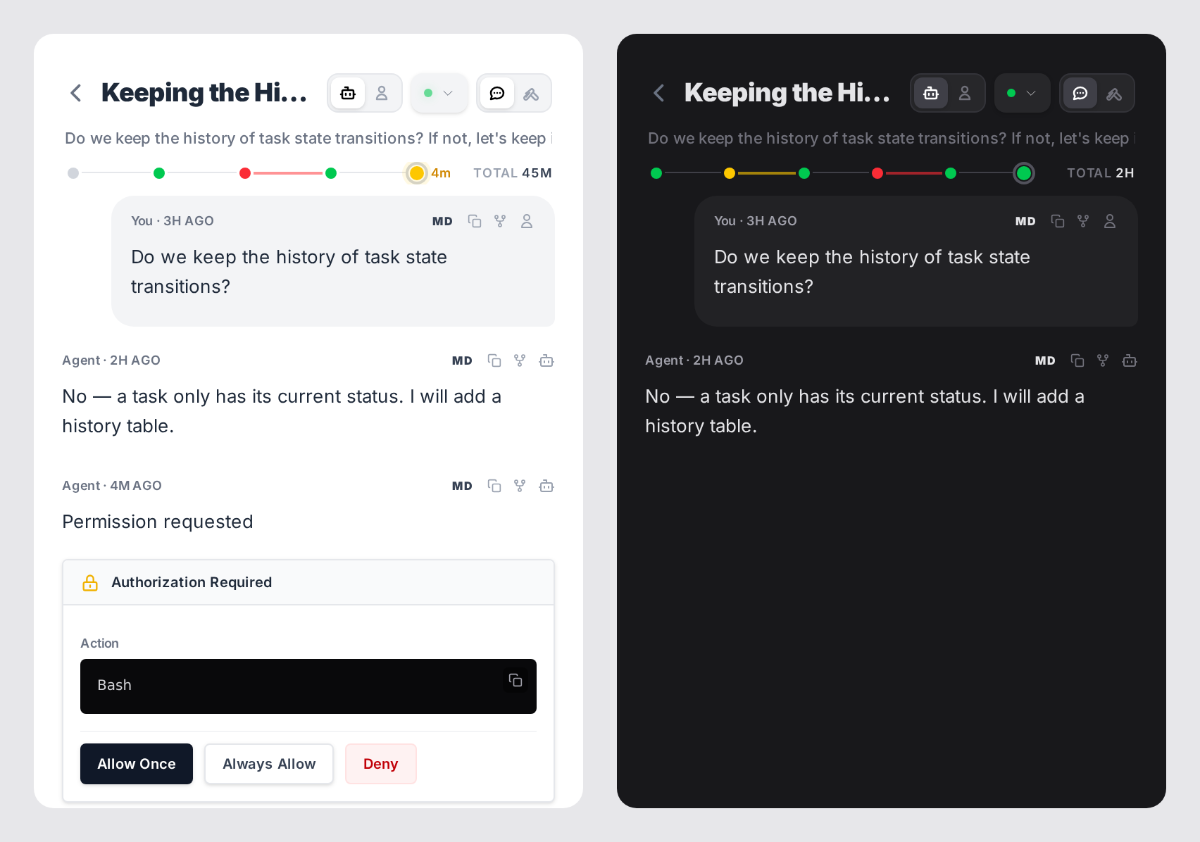
On a small screen the timeline folds into a single line above the conversation: the dots, their colours, and the total time. Enough to see at a glance whether a task is moving, blocked or waiting on you.
From their next status change on. History that was never recorded cannot be rebuilt.
No. It exists only in the timeline, so queues, counts and agents see the same status as before.
Charts on the workspace and account stats pages showing typical, shortest and longest times across all your tasks, so you can see how a whole workspace spends its time.