Human-in-the-Loop Task Manager for AI Agents
Workflows

Draw the Pipeline
Instead of Scripting It

A Workflow is Events and workspaces arranged on a graph. Drag a workspace onto an event to subscribe it; drag an event onto a workspace to emit it on completion. No decision-tree DSL, no YAML — just the shape of your release process, visible.

app.agentrq.com/workflows/feature_release

Live capture from the AgentRQ app — feature_release: code_changed fans out to doc, blog, and checkout-service workspaces, each emitting its own event downstream.

How Workflows Work

Built entirely from the primitives you already know: workspaces and events.

1

Pick a Start Event

Every workflow begins from one event — the trigger that kicks the whole pipeline off, shown as the green START node on the graph.

2

Drag Workspaces Onto Events

Subscribing a workspace to an event is a drag-and-drop — each subscription becomes a node with the task template that workspace will receive.

3

Let It Fan Out

One event can trigger many workspaces in parallel, and each of those can emit its own event further downstream — the graph branches exactly the way your pipeline does.

Every Pipeline, Named and Listed

Workflows get a name and a one-line description, same as everything else in AgentRQ — release_gate, feature_release, cleanup_wf — so anyone on the team can see what automation exists without reading code.

A workflow with no start event yet is flagged right on the list, so half-built pipelines don't silently sit there doing nothing.
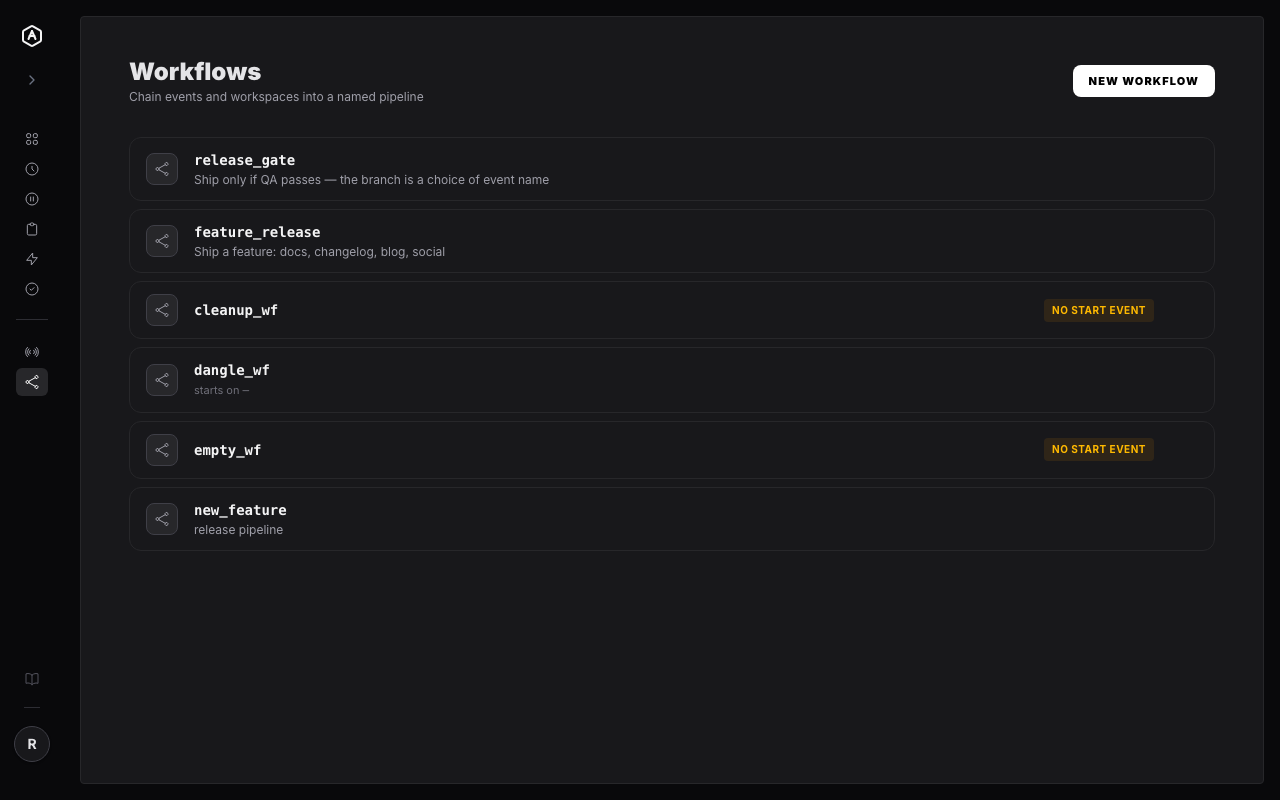
AgentRQ workflows list
Free During Beta

Stop Diagramming Your Pipeline in Docs That Go Stale

Build the graph once, in the app that also runs it.

More Features