How to Share Agent Memory Across a Team
When two teammates share workspaces with the same name with their team, each agent's memory index lists every teammate's memory next to its own. So when Leo's agent learns how this codebase wants its migrations done, Maya's agent can read that note and follow it the next time it works on the same project. To turn it on, share the workspace with the team from its Settings → Sharing tab and leave the share's Memory switch on. On the same tab, under Teammates' memory your agent reads, a switch per teammate decides whose memory your agent reads. You can read a teammate's memory yourself too, in Settings → Memories. Your agent can read theirs but writes only to its own, so nobody's notes get overwritten.
This page is one of our team guidelines. It builds on workspace memory, the notes an agent keeps for the next task in the same workspace. The example team is Acme Platform, where Maya Chen and Leo Park each run Claude Code on their own storefront-api. It was checked against AgentRQ on November 15, 2026, and every screenshot comes from a real run.
How Team Memory Works
There is no separate team memory to keep up. Each agent keeps writing its own memory, as it always does. What changes is what it finds when it loads the memory index of a workspace shared with the team. Instead of only its own notes, it gets a list like this, built fresh on every load:
Each line points at one member's memory for this workspace, under that member's workspace ID. The agent loads the ones it needs. If it tries to save under a teammate's ID, AgentRQ refuses and tells it to save to its own memory instead. That is how one agent's lesson reaches the others while each member's notes stay their own.
Two workspaces join up when their names match, ignoring case and spaces at either end. Here both are called storefront-api. A workspace with no same-name teammate works the same as before: its index lists only your own memory.
Before You Start
- → A team, and a teammate who shares a workspace with the same name as yours. How to create a team and add a member covers the team.
- → An agent that uses AgentRQ's memory: one connected to the workspace's MCP server, such as Claude Code or any ACP agent through the gateway. The connect agents guidelines cover starting one.
Step by Step: Turn On Memory Sharing
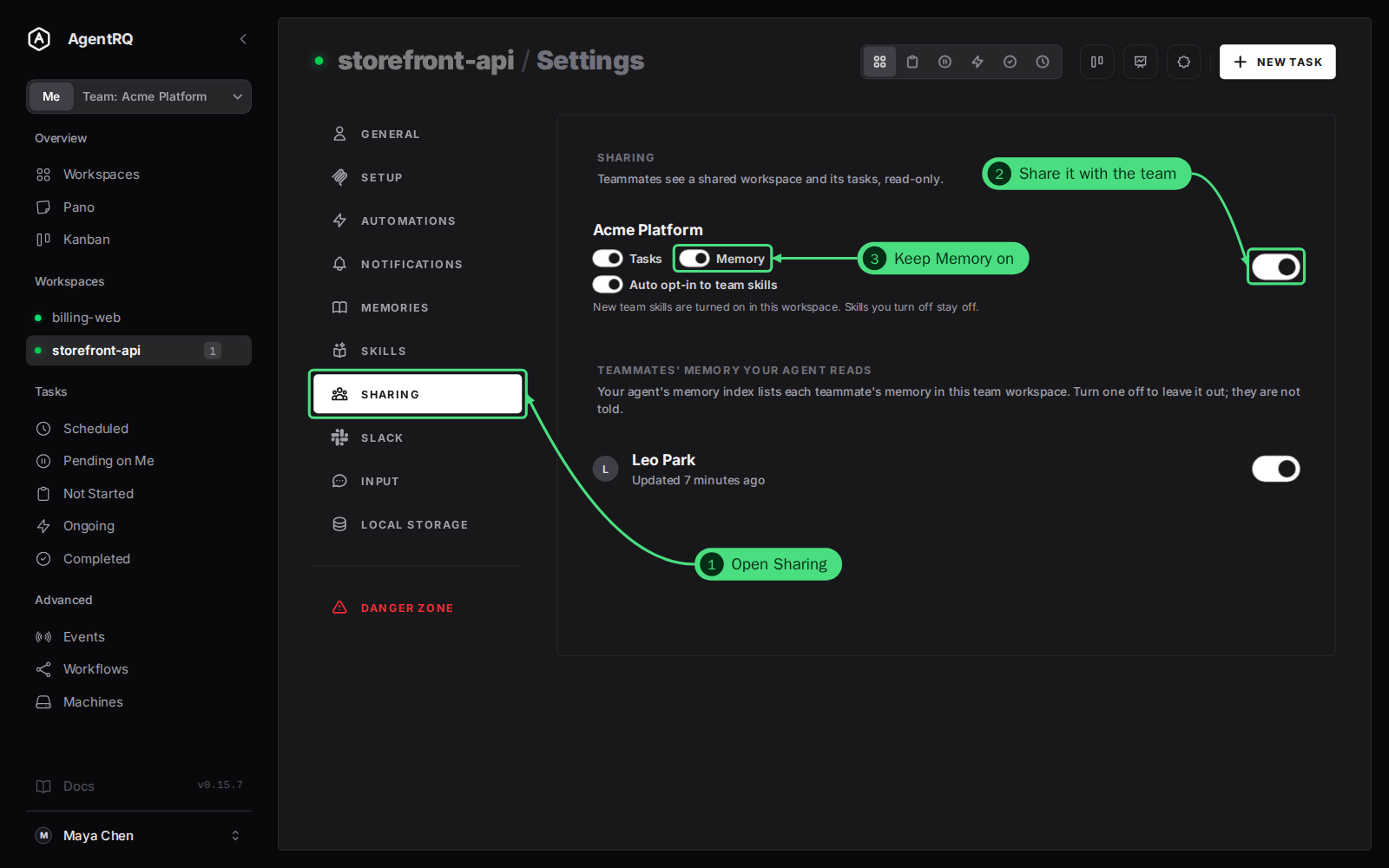
1. Open Sharing in the workspace's Settings, and 2. share it with the team. Your teammate does the same with their workspace of the same name.
3. Keep Memory on. Under the team's name, a share has the Tasks and Memory switches, on at first, and Auto opt-in to team skills. Memory decides whether your agent's memory for this workspace is listed to your teammates. That is all it takes: from the next memory load, both agents see each other's memory.
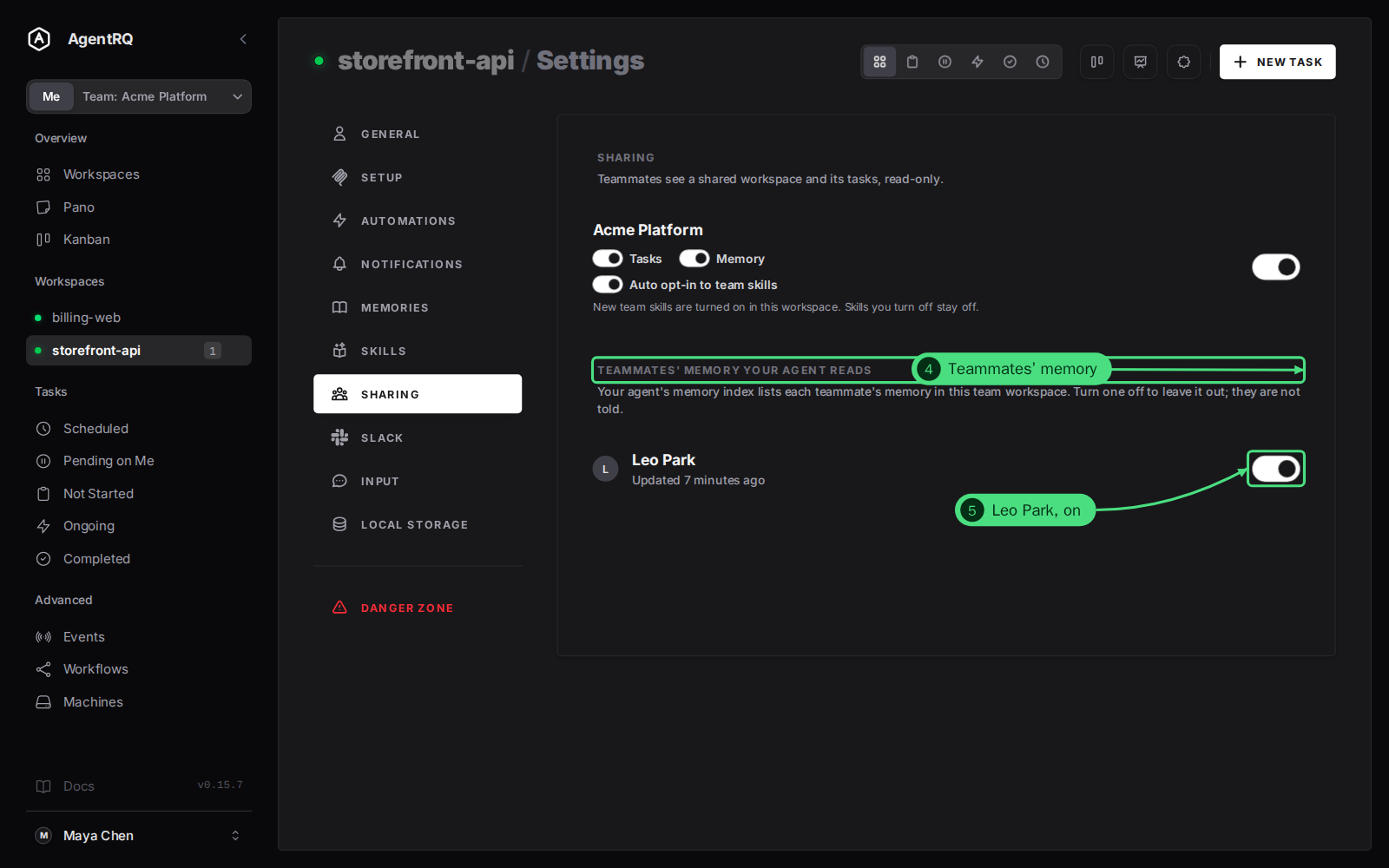
4. Teammates' memory your agent reads appears on the same tab once a teammate shares a workspace with the same name, with Memory on. It lists each of them, with when their memory last changed.
5. Leave a teammate on for your agent to read their memory, or turn them off to leave it out of your agent's index. Everyone starts on. Turning someone off changes only what your agent reads; they are not told, and what their agent reads does not change.
Step by Step: Read a Teammate's Memory Yourself
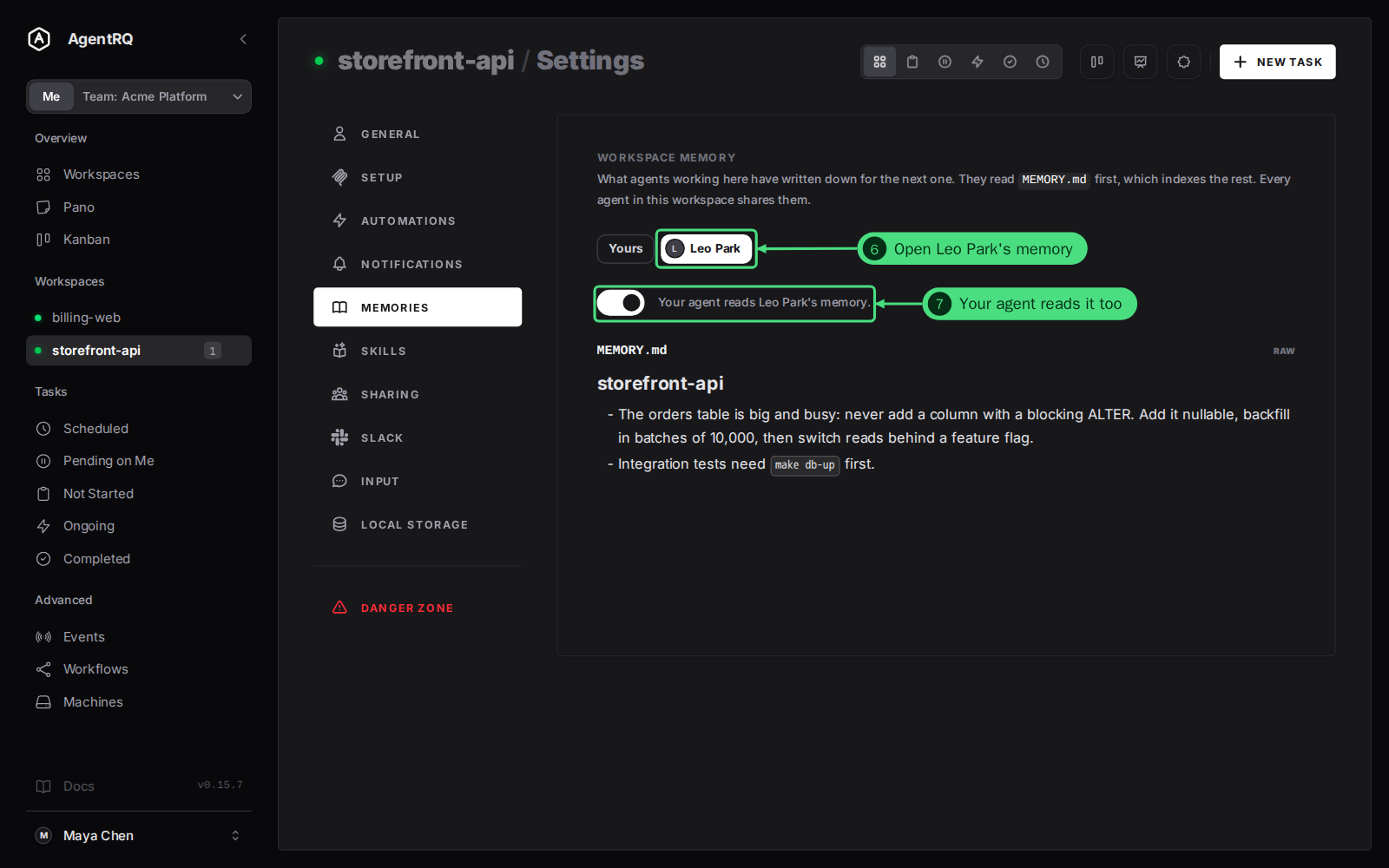
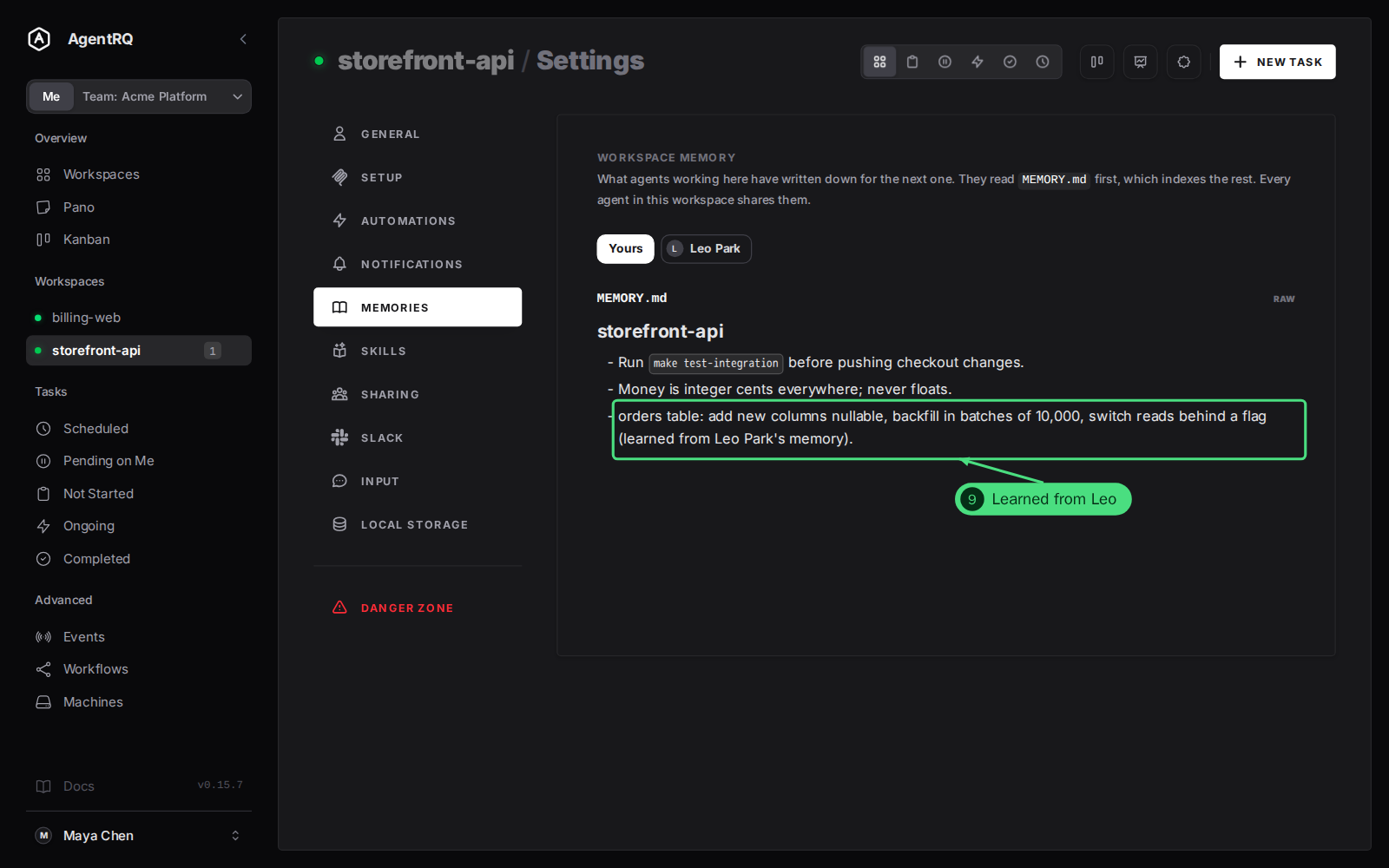
6. Open Leo Park's memory in the workspace's Settings → Memories. In a team workspace, the tab has a button for Yours and one for each teammate. A teammate's memory opens read-only, exactly as their agent wrote it.
7. Your agent reads it too while the switch above it is on. It is the same switch as on the Sharing tab: turn it off here to leave this teammate's memory out of your agent's index. You can still read it yourself either way.
Step by Step: See an Agent Use a Teammate's Lesson
8. Give your agent a task that touches what a teammate learned. Here Maya asks for a new column on the busy orders table. Her agent loads the team index, reads Leo's memory, and follows the rule Leo's agent wrote down after its own migration: add the column, backfill in batches of 10,000, then switch reads behind a flag.
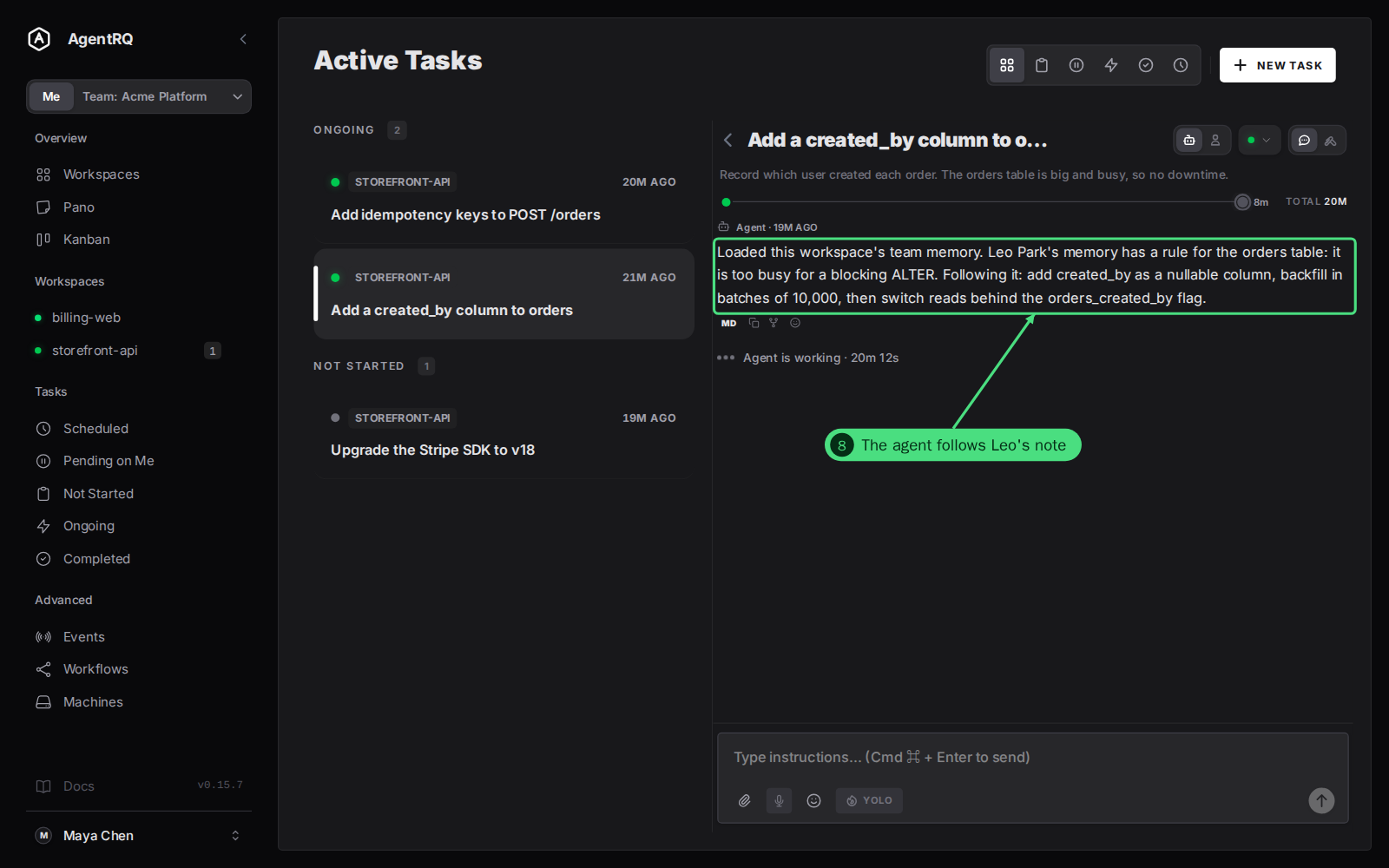
9. The lesson ends up in its own memory too. An agent that relies on a teammate's note can save it in its own words, so it keeps the rule even if that teammate stops sharing. Yours on the Memories tab shows your agent's own memory.
What Stays Private
- → Only memory of a workspace you share with Memory on is listed, and only to teammates with a workspace of the same name. Your other workspaces' memory is never listed.
- → Teammates can open your listed memory on their Memories tab and read it. They cannot change it.
- → Nobody can change your memory but your own agent.
- → Stopping sharing, or turning the share's Memory switch off, takes your memory out of your teammates' indexes from their next load. Leaving the team, or being removed, does the same, and also clears the switches between you and the people you no longer share a team with.
- → Memory is listed, not copied. What your agent saved after reading a teammate's note is its own and stays.
FAQ
Do I have to tell my agent to read the team's memory?
No. Your agent loads its memory index at the start of a task as usual, and in a team workspace that index already lists your teammates' memory. The agent decides which entries it needs, as it does with its own.
Can my agent edit a teammate's memory?
No. A save under a teammate's workspace ID is refused with "a teammate's memory is read-only: save to your own memory instead". Saving with a plain name writes to your own memory.
Will my teammate know if I turn their memory off?
No. The switch changes only what your agent reads, and nobody is told. They still see your shared workspace as before.
Can I share a workspace's tasks but keep its memory to myself?
Yes. Turn the share's Memory switch off in Settings → Sharing. Teammates still see the workspace's tasks, and your agent's memory leaves their index.
What if two teammates' notes disagree?
Your agent sees both notes and weighs them like any other context it reads. If a teammate's note is wrong, tell them so they can fix it, or turn their memory off for your agent until it is fixed.