Human-in-the-Loop Task Manager for AI Agents
Presets

Type #,
Get the Whole Message

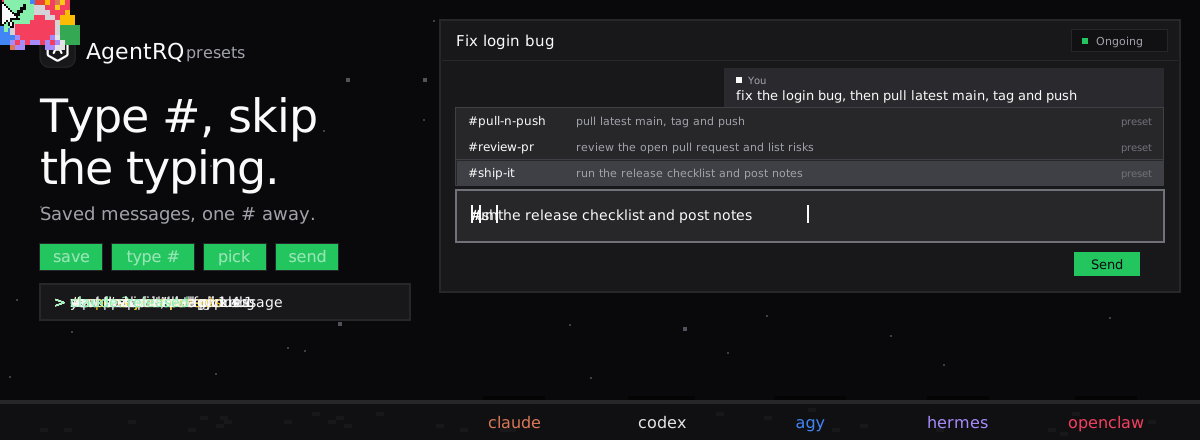
Save the messages you send again and again, like “pull latest main, tag and push”, as presets. Then type # and a name in any task or reply, and the full message takes the name’s place.

AgentRQ presets: on a workspace's Presets tab you save #pull-n-push as the message 'pull latest main, tag and push'; in a new task you type 'fix the login bug, then #', the menu lists your presets, you pick #pull-n-push and the whole message takes the place of #pu and goes to claude; in the thread you reply with #ship-it the same way and claude gets the full message and releases.

Save a message once, insert it with a # and a name.

Save

Write It Once, Keep It in the Workspace

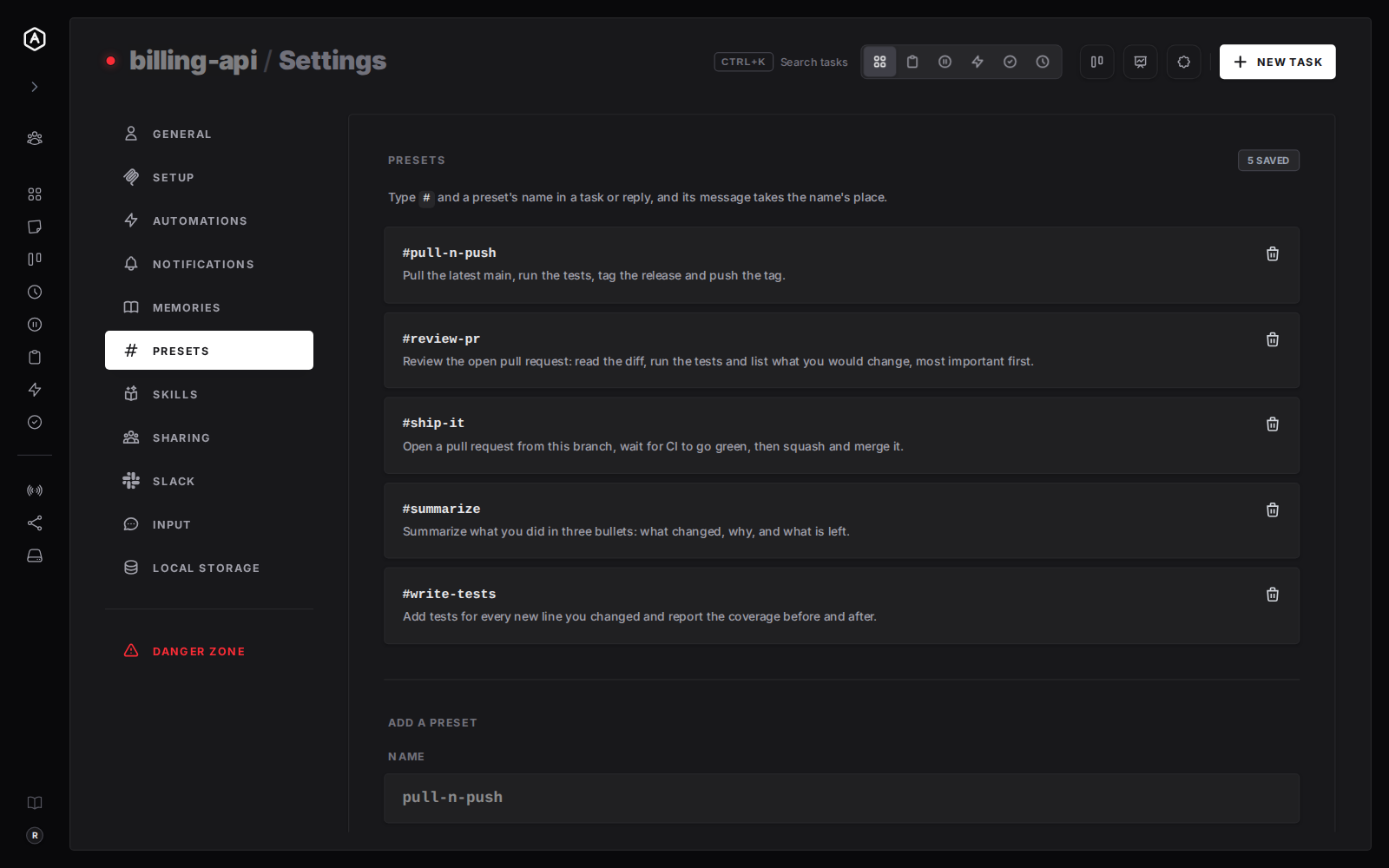
Open a workspace’s settings and choose Presets. Give a message a name, press Add Preset, and it is saved at once. There is no Save button to forget, and a trash can removes one just as fast.
  • Names are lowercase letters and digits joined by hyphens, like skills
  • A workspace keeps up to 100 presets, each up to 16 KB
  • Forks of a workspace use their parent’s presets
The Presets tab in AgentRQ workspace settings, listing five presets such as #pull-n-push and #ship-it, each with its message and a trash can
The Presets tab: every preset with its message.
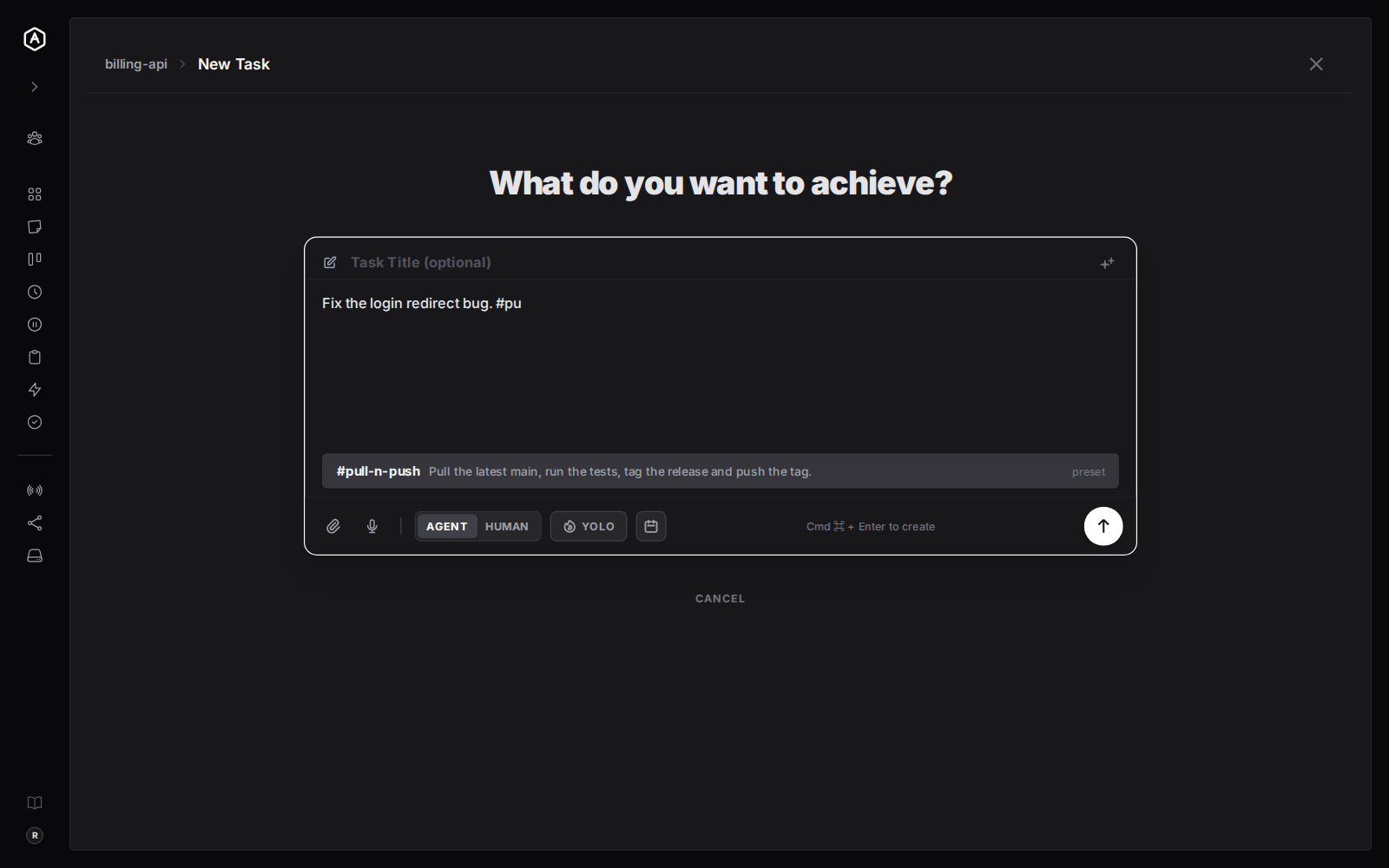
The AgentRQ new task composer with the text "Fix the login redirect bug. #pu" and a menu showing the preset #pull-n-push with the start of its message
Typing #pu offers #pull-n-push.
New tasks

Type # and a Name, Press Enter

In the new task composer, type # and the first letters of a name. A menu opens, the same one / opens for skills, with the preset’s name and the start of its message. Choose it and the message replaces what you typed.

  • Arrow keys and Enter, or Tab, to choose; Escape to close
  • Opens at the end of a sentence too, so text before the # stays
  • Edit the inserted message before you send it
Inserted

The Name Becomes the Message

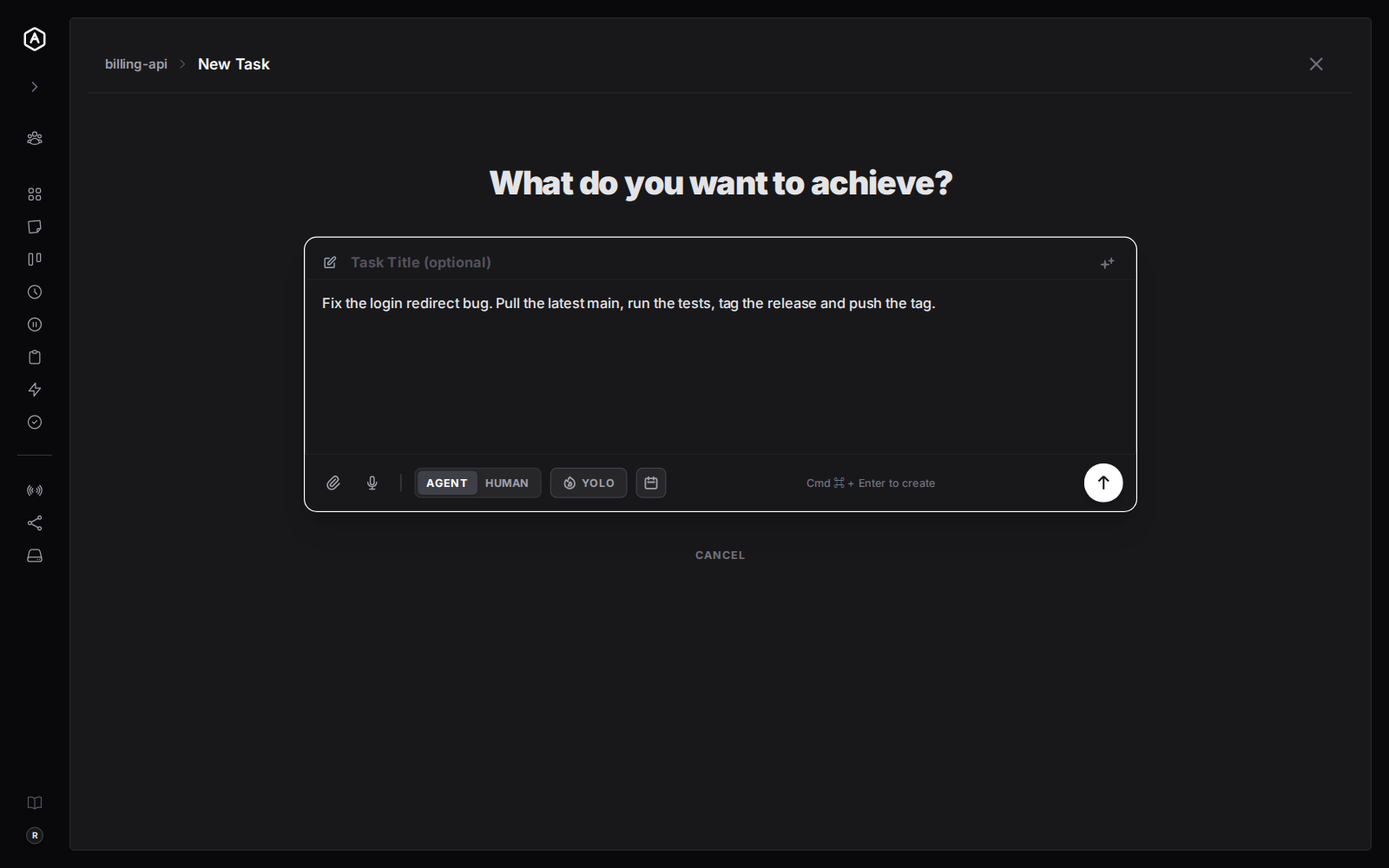
The preset replaces only the #name you were typing, so you can write a sentence around it. The agent receives the full message, never the name, so it needs no setup to understand a preset.
  • Add a line before or after the preset
  • Nothing to install in the agent, it just reads the message
  • A # inside a word, like issue#12, is left alone
The AgentRQ new task composer after choosing a preset: the text now reads "Fix the login redirect bug. Pull the latest main, run the tests, tag the release and push the tag."
After choosing, the full message sits where #pu was.
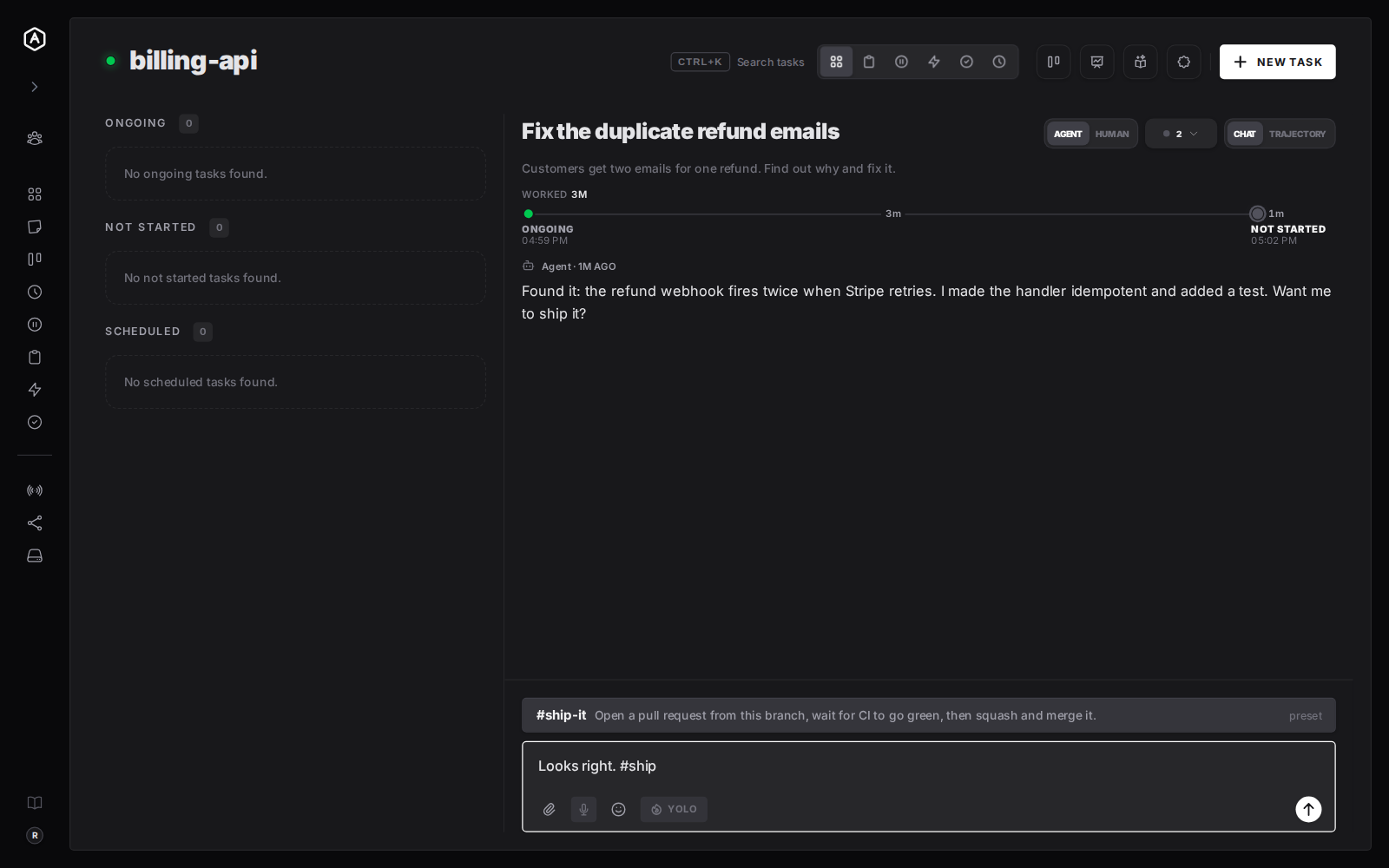
A task thread in AgentRQ where the agent asks whether to ship a fix, and the reply box shows the #ship-it preset in the # menu
Typing #ship in a reply offers #ship-it.
Replies

Works in Every Reply Too

The same # menu opens in a task’s reply box. When an agent asks “Want me to ship it?”, answer with #ship-it and send a complete, consistent instruction.

  • One answer for the questions agents ask all the time
  • Same names in the new task box and the reply box
  • Presets are per workspace, so each project keeps its own
Add

Add One From the Same Page

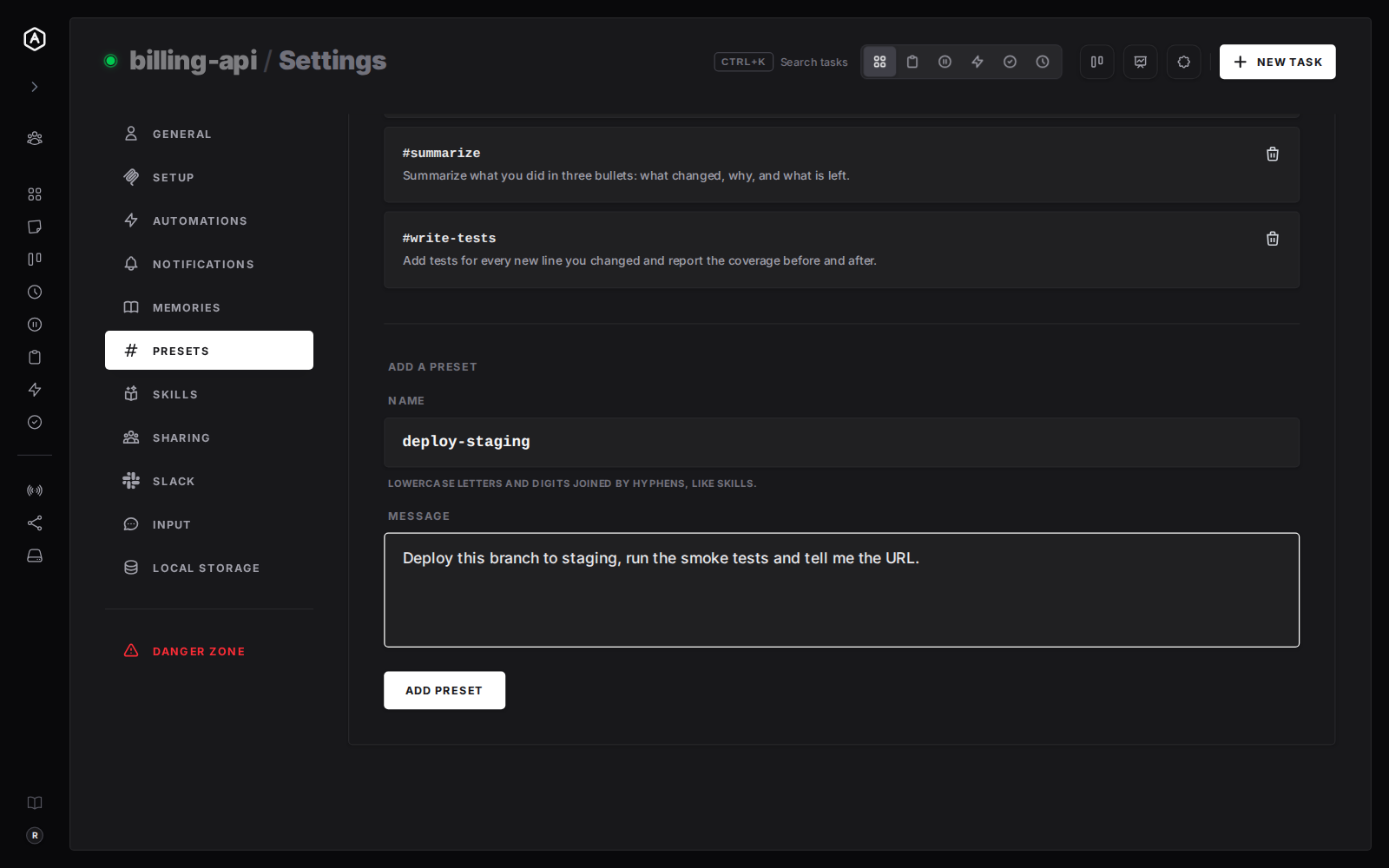
The form under the list takes a name and a message. A name that is not valid is tidied into hyphens when you leave the field, and the server answers in plain words if a name is already taken or a message is too long.
  • Name and message, then Add Preset
  • Names are kebab-case so #name and /name are typed the same way
  • Removing a preset never touches tasks already sent
The Add a Preset form in AgentRQ workspace settings with the name deploy-staging and a message about deploying the branch to staging
The Add a Preset form.

Three Habits That Pay Off

What to turn into a preset.

1

Chores You Repeat

Pull, test, tag and push. Open a pull request and merge on green. Anything you have typed three times is a preset.

2

Standing Instructions

“Add tests for every new line and report coverage” or “summarize in three bullets”. Say it the same way every time.

3

Answers to Agents

The approvals and go-aheads you give all day. One #name in a reply is a complete answer.

A preset is a message you send. For a playbook the agent loads itself, see Distributed Skills.

Free During Beta

Stop Retyping the Same Message

Save it once, then type # and a name.

More Features