Workspace Settings: Slack Tab Explained
The Slack tab gives a workspace a Slack channel of its own. Once it is linked, the workspace's task updates and permission requests reach that channel, so you can follow the agent and approve its requests from Slack.
This page is one of our workspace guidelines. It was checked against AgentRQ on November 16, 2026, and every screenshot comes from the storefront-api workspace.
Before You Start
Open the workspace, click the gear button in the top right, then Slack in the settings menu. The General tab guide shows where the gear is. The Setup Slack button on the Notifications tab opens it too.
Step by Step: Connect a Channel
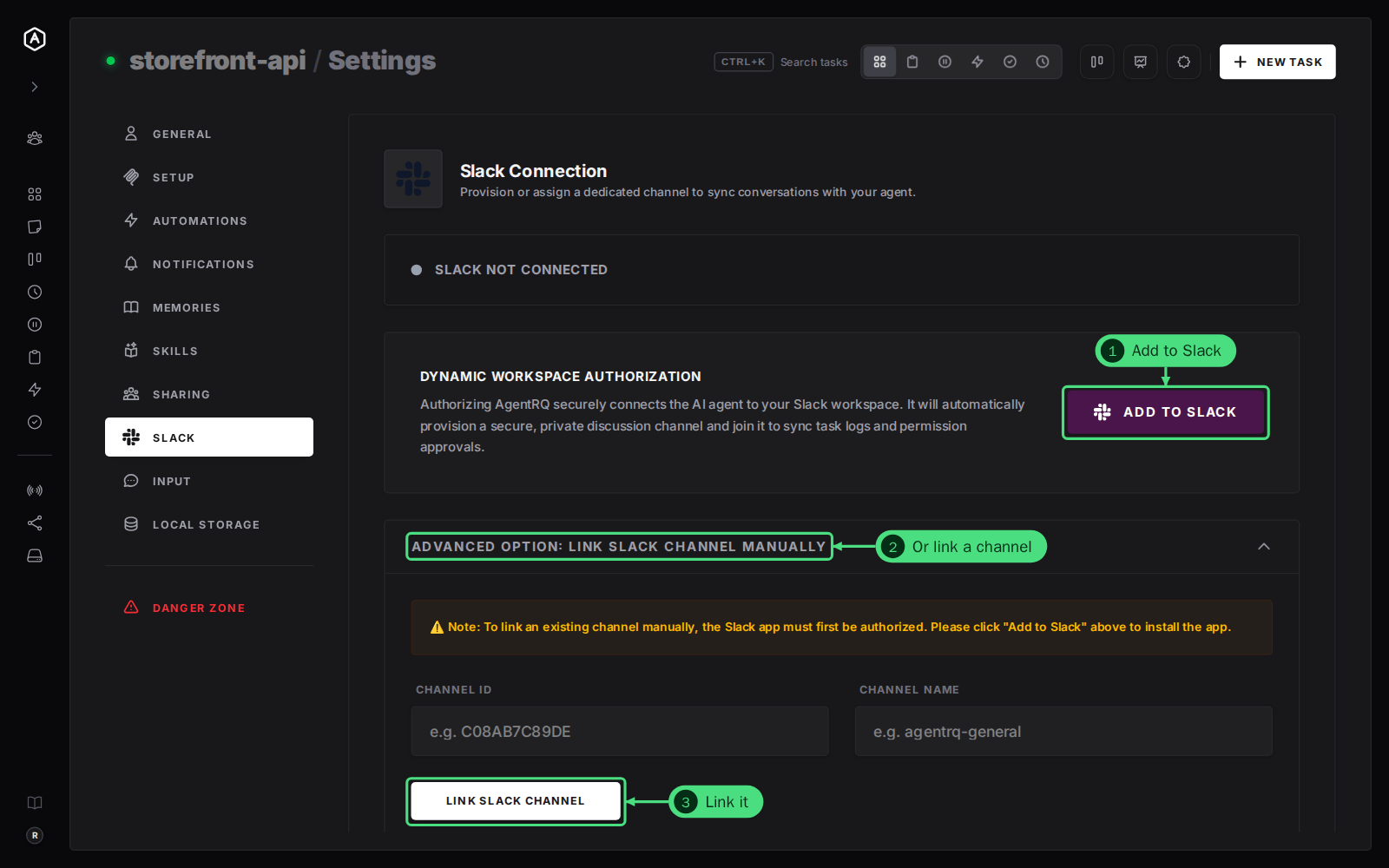
The bar at the top says Slack Not Connected until a channel is linked.
1. Click Add to Slack. Slack asks you to authorize AgentRQ in your Slack workspace. AgentRQ then creates a private channel for this workspace and joins it.
2. Or link a channel you already have. Open Advanced Option: Link Slack Channel Manually. The Slack app must be authorized first, so click Add to Slack once even for this.
3. Fill in the Channel ID and Channel Name and click Link Slack Channel. The ID starts with C, such as C08AB7C89DE; Slack shows it at the bottom of the channel's details.
Step by Step: See or Remove the Link
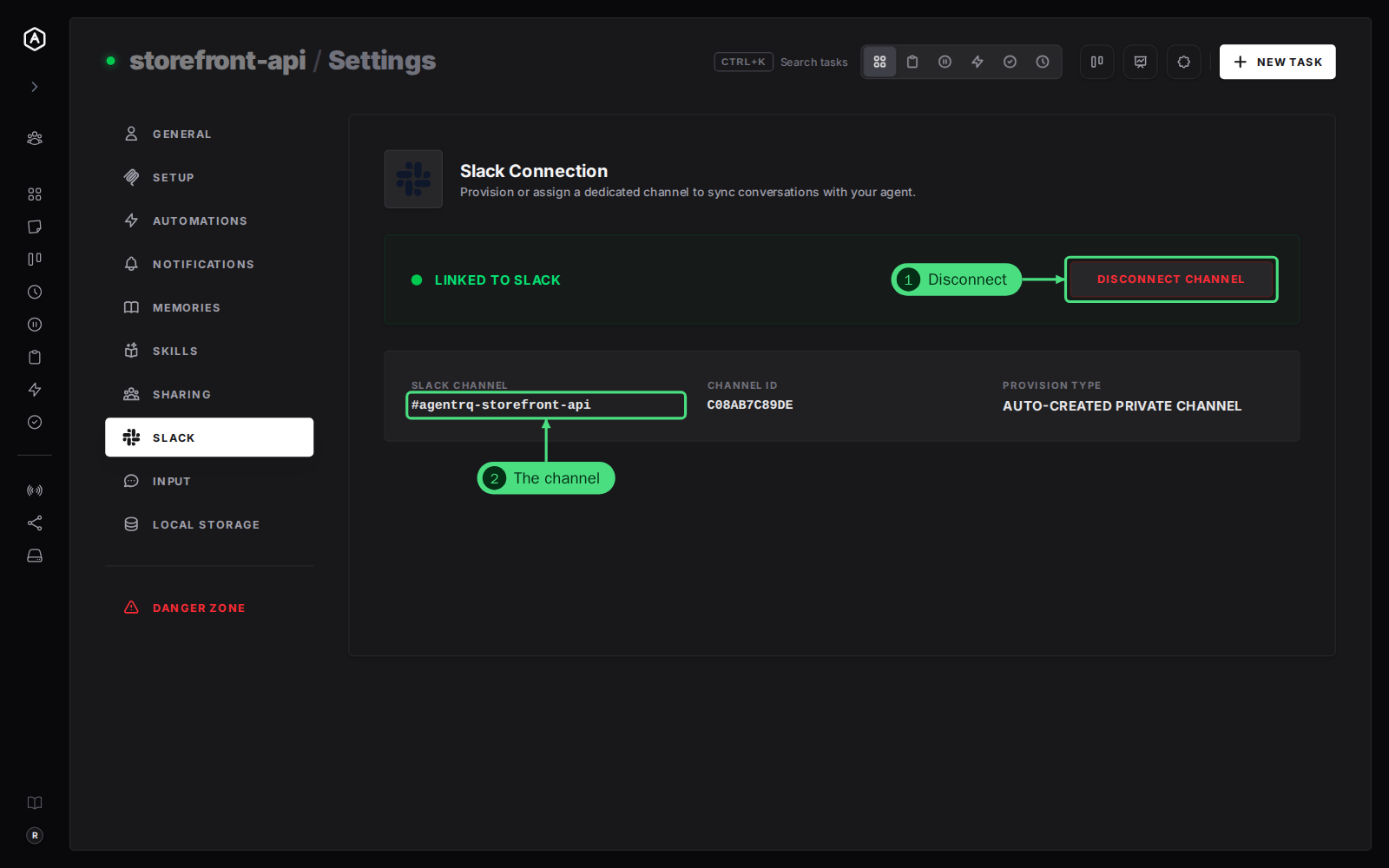
Once linked, the bar reads Linked to Slack, with the channel's details under it.
1. Disconnect Channel unlinks the channel. The workspace stops posting to it.
2. The channel: its name, its ID, and how it was linked: Auto-Created Private Channel after Add to Slack, or Manually Linked Channel.
Good to Know
- → One channel per workspace. Link another workspace from its own Slack tab.
- → Self-hosting AgentRQ? The tab reads Slack Integration Disabled until the server has
AGENTRQ_SLACK_ENABLED=trueand a Slack app's client ID and secret set, and has been restarted.
FAQ
Can I approve a permission request from Slack?
Yes. A permission request arrives in the channel with buttons to allow or deny it, and your answer goes back to the agent like one made in AgentRQ.
Do I still need email notifications?
No, pick what suits you on the Notifications tab. Slack and email can both be on.