Wake Claude on Dependabot Alerts with AgentRQ Hooks
Dependabot is good at noticing. It finds the vulnerable package, names the advisory and tells you which version fixes it. Then the alert sits in the Security tab until somebody has time to read it, bump the dependency, run the tests and open a pull request.
That last part is exactly the work a coding agent does well. What it lacks is the alert. Claude Code does not watch your repository's Security tab, and a terminal session cannot receive a webhook.
The request behind this post is short: allow the Claude app to subscribe to Dependabot alerts and be woken as needed from them.
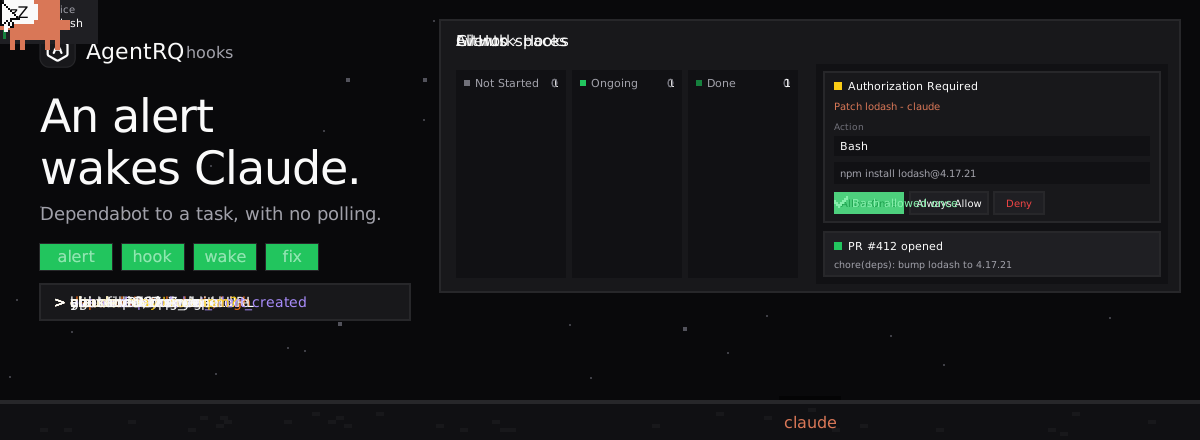
The short answer: put AgentRQ between GitHub and the agent. A hook receives GitHub's Dependabot webhook, checks its signature and fires an event. The event's trigger creates a task in the workspace where Claude Code runs, and the task reaches the agent through its channel the moment it is created. The agent wakes, reads the alert, bumps the package, runs the tests and opens a pull request. You get the result as a reply and approve anything risky with a button.
Why an Agent Needs a Wake-Up Call
Agents only act when asked. A coding agent is a conversation. It does nothing until a message arrives, and it does not poll GitHub on its own between messages.
Webhooks need an address. GitHub announces a Dependabot alert by sending an HTTP request to a URL. Claude Code on a laptop or a server has no URL, and should not open one.
Alerts need context to be useful. "lodash is vulnerable" is not a task. The agent needs the repository, the manifest file, the advisory and the patched version, in a form it can act on without asking.
Fixes need a human gate. Installing packages and pushing branches are the commands you want to see before they run, at least until you trust the routine.
AgentRQ already solves the first and last points for any task: work arrives in a workspace, the connected agent receives it, and approvals come back to you as buttons. Hooks add the missing piece, a public address that turns an outside request into one of those tasks.
How the Pieces Fit
| Step | AgentRQ feature | What it does |
|---|---|---|
| GitHub sends the alert | Hook registration | A payload URL with its own token, plus the webhook secret GitHub signs with |
| The request is checked | Hook (WebAssembly) | Verifies X-Hub-Signature-256 and picks the event |
| The alert becomes work | Event and trigger | Creates a task in a workspace, with the alert in its body |
| The agent wakes | Workspace channel | Pushes the new task into the running Claude Code session |
| The fix is approved | Authorization Required | Allow Once, Always Allow or Deny, from the web, a phone or Slack |
| The result comes back | Task reply | A summary and the pull request link, with the task marked Completed |
Every delivery is kept in the registration's Deliveries list for seven days by default, with its status: published, ignored, rejected or duplicate. When GitHub retries a delivery, the hook passes GitHub's delivery id along and AgentRQ records the retry as a duplicate, so one alert never makes two tasks.
Three Ways to Subscribe
The built-in github hook covers CI runs, pull requests, issues, releases and pushes. It does not read the Dependabot alerts webhook yet, so pick the route that fits your setup.
Route 1: a Dependabot hook, in real time
The cleanest route is a small hook of your own. A hook is a WebAssembly program that runs in a sandbox, a fresh one per request, with no files and no network. This one checks GitHub's signature, keeps the created and reopened alerts, and turns each into an event an agent can act on:
Build it with GOOS=wasip1 GOARCH=wasm go build -o dependabot.wasm . and upload it under Events → Hooks → Your hooks. Uploading your own hooks needs a server that allows it (AGENTRQ_HOOKS_ALLOW_USER_HOOKS=true when you self-host); otherwise ask the server's operator to add it as a built-in hook.
Then register it and point GitHub at it:
- Events → New event, named
dependabot_alert_created. Add a trigger that creates a task in the workspace where Claude Code works on the repository, with a body such as "Fix this Dependabot alert: bump the package to the patched version, run the tests, open a pull request. {{EVENT_PAYLOAD}}". - Events → Hooks → New registration, pick
dependabot, Generate a webhook secret and copy it. Routedependabot.alert_created(anddependabot.alert_reopened, if you want it) to your event, then Create and copy the payload URL. - In the repository or organization on GitHub, Settings → Webhooks → Add webhook: the payload URL, content type
application/json, the secret, and Let me select individual events → Dependabot alerts.
Route 2: the generic hook and a scheduled check
If you cannot upload hooks, the built-in generic hook works with no code on the AgentRQ side. A scheduled GitHub Actions workflow reads the open alerts and posts each one:
DEPENDABOT_ALERTS_TOKEN is a fine-grained token with read access to Dependabot alerts. The Idempotency-Key is the alert's number, so an alert that is still open on the next run is recorded as a duplicate and makes no second task. AgentRQ keeps those keys as long as it keeps deliveries, seven days by default, so an alert nobody fixed comes back as a fresh task a week later, which works as a reminder. Register the generic hook, route its request.received event to dependabot_alert_created, and the rest is the same as route 1. The wake-up is up to 30 minutes late instead of instant.
Route 3: no new hook, wake on Dependabot pull requests
With Dependabot security updates on, Dependabot opens the fix itself as a pull request. What it cannot do is repair the build when the new version breaks something. The built-in github hook can wake the agent for exactly that: register it, route ci.failed to an event such as dependabot_ci_failed, and set Branches to dependabot/*/* and dependabot/*/*/* so only Dependabot's branches count. A failed run on one of them becomes a task for the agent to fix the code until the update's checks pass.
What the Agent Receives
The task arrives in the workspace like any other, with the alert written out in the body:
If Claude Code is running in the workspace, the task reaches its session at once through the workspace channel. That is the wake-up: an idle session gets a new message and starts working. If no session is connected, the task waits on the task board as Not started until one is, and you see it there too. With an agent started from machines, the session can stay up on a computer you own instead of a laptop that sleeps.
Features That Make It Safe to Automate
Approvals stay with you. When the agent wants to run npm install or push a branch, the task shows Authorization Required with Allow Once, Always Allow and Deny, and a notification tells you. You decide from the browser, your phone or Slack.
The route warns you about Allow all commands. A trigger can let its tasks run any command without asking, as in YOLO mode. A hook route to such a trigger is marked with a warning, because anyone who can send the hook a genuine request could then start one. For dependency fixes, leave approvals on until the routine has earned your trust.
The agent learns your routine. Save how your team handles dependency bumps as a skill: which lockfiles to update, which tests to run, how to title the pull request. The agent keeps what it learns about the repository in workspace memory, so the tenth alert goes faster than the first.
You can see what it did. Every command and file the agent touched is on the task's tool call history, next to the reply with the pull request link.
The fix can start the next step. A trigger can emit another event when its task completes. Chain a reviewer workspace or a release task after the fix with workflows, and the alert runs all the way to a reviewed pull request.
What This Unlocks
Security work stops waiting for a free afternoon. A critical alert at 3 a.m. is a pull request, with tests run, by the time you wake up. You review and merge instead of researching and typing.
The backlog shrinks instead of growing. Teams with many repositories collect dozens of low and moderate alerts that nobody gets to. Routed to an agent, each one becomes a small, reviewable pull request.
One pattern for every outside signal. The same hook, event and trigger chain wakes the agent on a failed CI run, a new issue or a release. Dependabot is one more source, not a special integration.
You keep the gate. The agent does the work, but nothing installs, pushes or merges without the approval you chose to require.
Setup Checklist
- Connect Claude Code to a workspace that has the repository checked out.
- Create the
dependabot_alert_createdevent and a trigger that writes a task in that workspace. - Register a hook: your own
dependabothook, or the generic hook with the scheduled workflow. - Add the webhook (or the workflow) on GitHub, then open the registration's Deliveries to see the first request arrive as published.
- Save a dependency-update skill so every fix follows the same steps.
FAQ
Does the Claude Code session need a public URL?
No. GitHub calls AgentRQ's payload URL. The agent only keeps its usual connection to its workspace, and the task comes down that connection.
What happens when GitHub retries a webhook?
The hook passes GitHub's delivery id as the dedup key, so a retry is recorded as a duplicate in Deliveries and fires nothing.
Why does a wrong secret not show up as an error on GitHub?
AgentRQ answers 202 as soon as a request reaches a valid URL, before the hook checks it. A wrong signature shows up as rejected in the registration's Deliveries, with the reason.
Can one hook serve several repositories?
Yes. Add the same payload URL and secret to each repository, or once at the organization level. The repository name is in the task body, and if the trigger's body also includes {{EVENT_FAQ}}, the hook's answers to "Which repository?", "Which package?" and "Which advisory?" come with it.
What if the payload URL leaks?
Choose Rotate on the registration. The old URL stops working at once, and you paste the new one into GitHub.
Does this work with a self-hosted AgentRQ?
Yes, as long as GitHub can reach it. Set AGENTRQ_BASE_URL to the public address, or put a tunnel in front of a server on a private network.