Workspace Settings: Danger Zone Explained
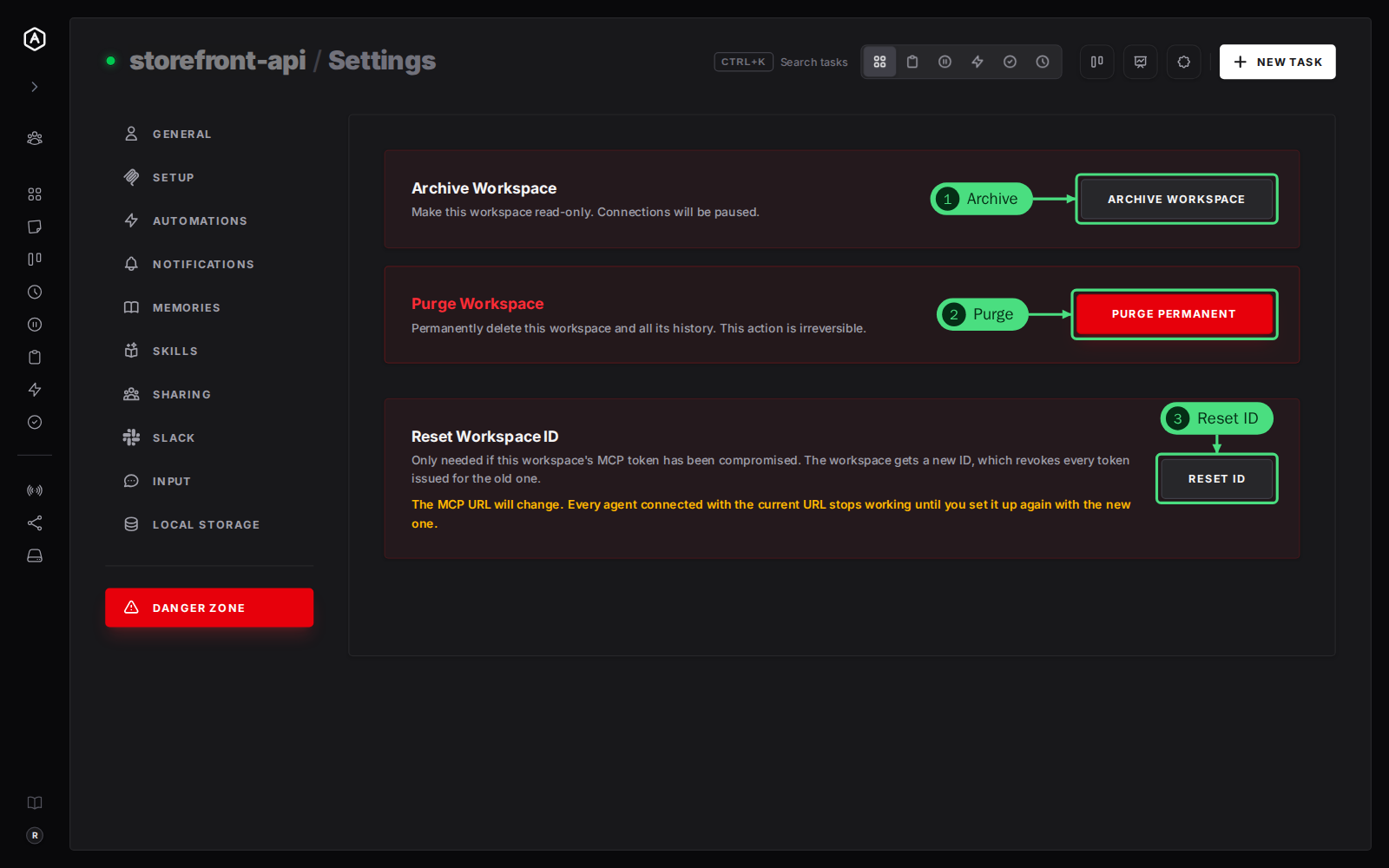
The Danger Zone holds the actions that are hard or impossible to undo: archiving a workspace, purging it for good, and giving it a new ID when its token has leaked. It sits apart from the other tabs, at the bottom of the settings menu, in red.
This page is one of our workspace guidelines. It was checked against AgentRQ on November 16, 2026, and every screenshot comes from the storefront-api workspace.
Before You Start
Open the workspace, click the gear button in the top right, then Danger Zone at the bottom of the settings menu. The General tab guide shows where the gear is.
Step by Step: The Three Actions
1. Archive Workspace makes the workspace read-only and pauses its connections: its agent stops getting tasks. Its tasks and history stay. AgentRQ asks you to confirm. To bring it back, open the Workspaces page, click Archived, and click Restore Workspace on its card. If you still have its settings open, the same card here turns into Restore Workspace with an Unarchive button.
2. Purge Permanent deletes the workspace with all its tasks, messages and settings. It cannot be undone, and AgentRQ asks you to confirm first.
3. Reset ID gives the workspace a new ID. Do it only if the workspace's MCP token has been compromised: the new ID revokes every token issued for the old one.
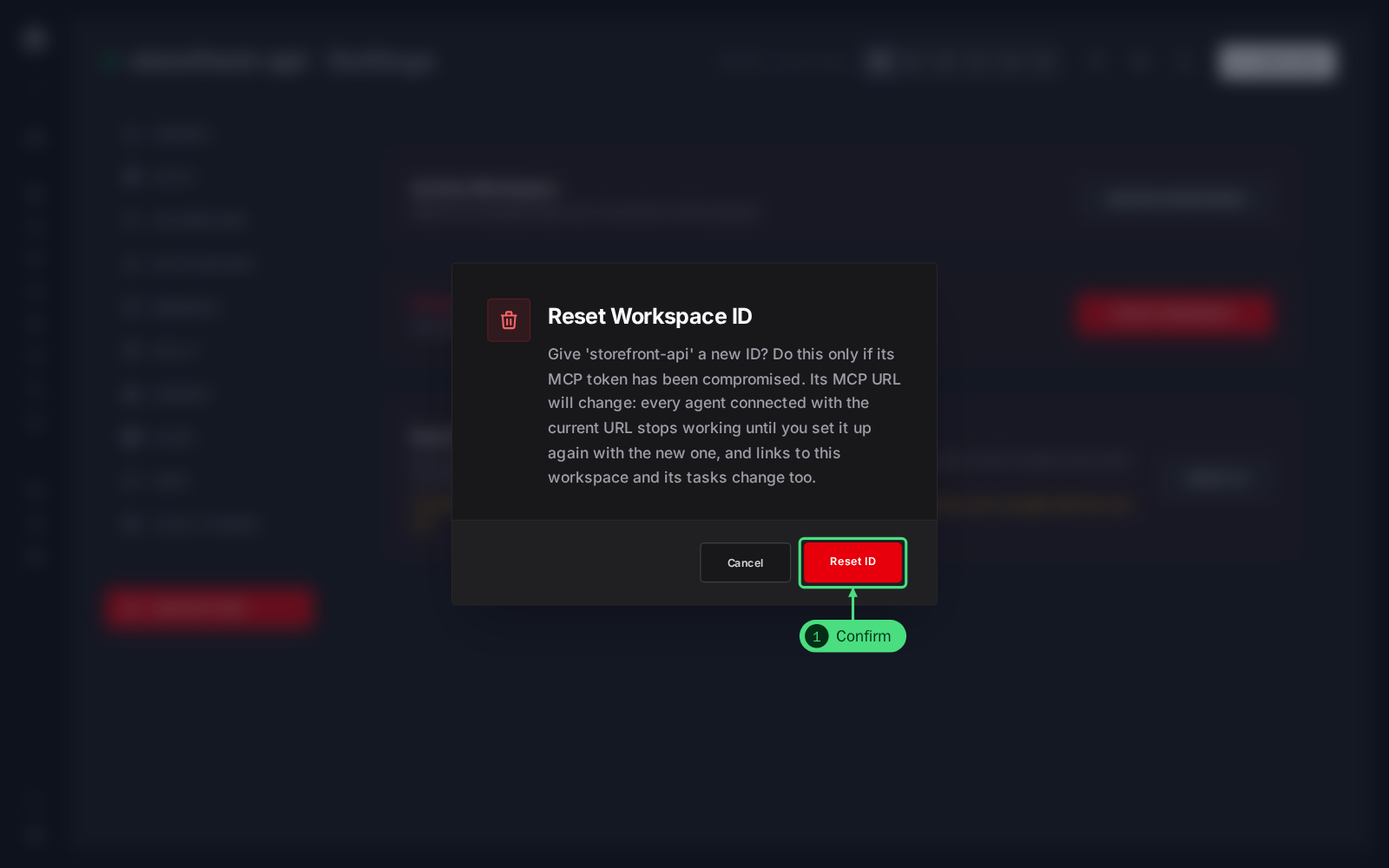
4. Confirm the reset. The dialog spells out what changes: the MCP URL, and with it every agent's connection. Click Reset ID to go ahead.
After a Reset
The workspace keeps its tasks, memory, skills and settings, but its ID, its MCP URL and the links to it change. Every agent connected with the old URL stops working. Copy the new config from the Setup tab and set each agent up again. What to do with a compromised .mcp.json walks through the whole recovery.
Forks
- → A workspace with forks cannot be archived or purged until its forks are merged back. The tab says how many it has.
- → A fork's Danger Zone has Merge Fork instead of Archive and Purge. Merging stops the fork's agent, moves every task back to the parent with its whole thread, and removes the fork. Its folder is left as it is, unless you choose to delete it.
FAQ
Archive or purge?
Archive. It frees the workspace from your active list while keeping every task and message, and you can restore it. Purge only what you are sure you will never need.
Does archiving delete the agent's memory or skills?
No. Archiving keeps everything. Purging deletes the workspace's tasks, messages and settings; skills belong to your account and stay.