Workspace Settings: Memories Tab Explained
The Memories tab shows what the agents working in this workspace have written down for the next one: the test setup that tripped them up, the flaky test and its cause, how releases are cut. Agents read this memory at the start of a task, so the tab is the quickest way to see what your agent already knows.
This page is one of our workspace guidelines. It was checked against AgentRQ on November 16, 2026, and every screenshot comes from the storefront-api workspace.
Before You Start
Open the workspace, click the gear button in the top right, then Memories in the settings menu. The General tab guide shows where the gear is.
Step by Step: Read the Memory
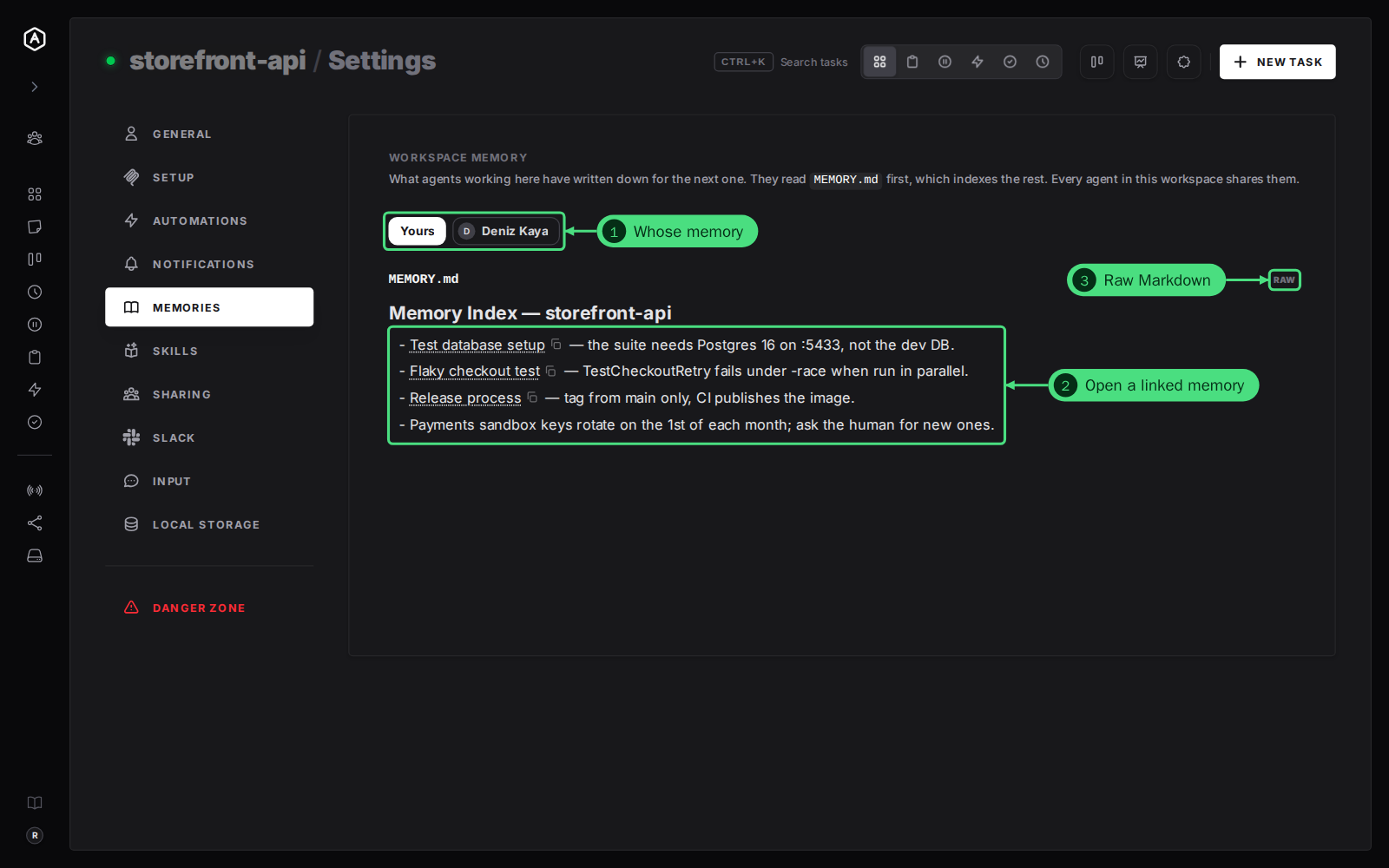
1. Whose memory. In a workspace you share with a team, buttons above the memory pick whose to read: Yours, or a teammate's, read-only, the way their agent wrote it. Under a teammate's button, a switch says whether your agent reads their memory too. Outside a team there is only yours, and no buttons.
2. Follow a link. The tab opens on MEMORY.md, the index agents read first. Each link opens the memory it names, in place.
3. Raw shows the Markdown as the agent wrote it, instead of rendered.
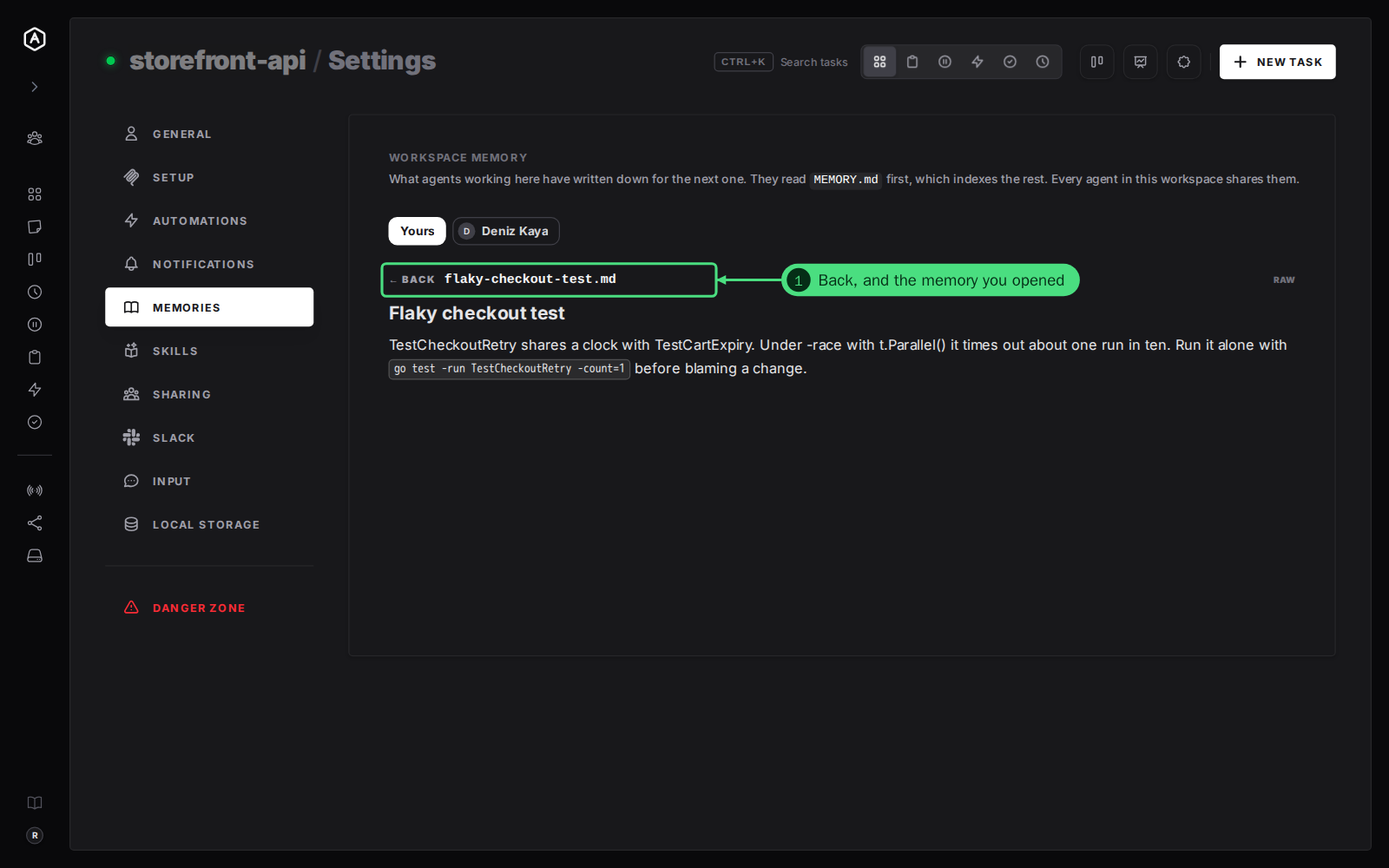
4. Read the memory you opened. Its file name sits next to Back, which returns to the page you came from.
How Workspace Memory Works
- → Agents write it, not you. There is nothing to set up. An agent saves a memory with its AgentRQ memory tool when it learns something worth keeping, and every agent in the workspace shares it.
- → MEMORY.md is the index. Agents load it first, and it links to the rest, so a new agent finds everything from one page.
- → Memories no index links to are listed under the memory, so none is out of reach.
- → Steer what gets written with the Self-Learning Strategy on the General tab.
A new workspace shows Nothing remembered yet. until its agent saves its first memory. See workspace memory for more.
FAQ
Can I edit a memory here?
No, the tab is for reading. To change one, ask the agent in a task: "Update the test database memory: the suite now uses port 5434."
Can my agent read a teammate's memory?
Yes, in a team workspace. Turn it on or off per teammate with the switch under their button, or on the Sharing tab. The team guide to sharing agent memory walks through it.