Workspace Settings: Skills Tab Explained
The Skills tab picks which playbooks this workspace's agents can use. A skill is a SKILL.md and the files it points to. Agents find skills with searchSkills and load one when a task matches it. Skills belong to your account, and each workspace has its own switch for each skill.
This page is one of our workspace guidelines. It was checked against AgentRQ on November 16, 2026, and every screenshot comes from the storefront-api workspace.
Before You Start
Open the workspace, click the gear button in the top right, then Skills in the settings menu. The General tab guide shows where the gear is.
Step by Step: The Skills Tab
1. Import from GitHub. Paste a repository URL, such as https://github.com/obra/superpowers, or a folder in one (/tree/<branch>/<path>), and click Import. Tick Overwrite skills you already have to replace skills with the same name. If the repository is too large to import whole, AgentRQ lists its skills so you can pick some. Skills imported here are turned on in this workspace only.
2. Team skills. In a workspace you share with a team, this section lists the skills the team owns. Turn one on for your agents to see it, and to improve it for everyone.
3. Turn a skill on or off here. The switch on each card is this workspace's own. A skill that is off stays in your account; this workspace's agents just do not see it.
4. Give to team moves one of your skills into the team workspace. It leaves your skills, and every teammate can read and change it. The button shows only in a workspace shared with a team.
5. Open a skill by clicking its card.
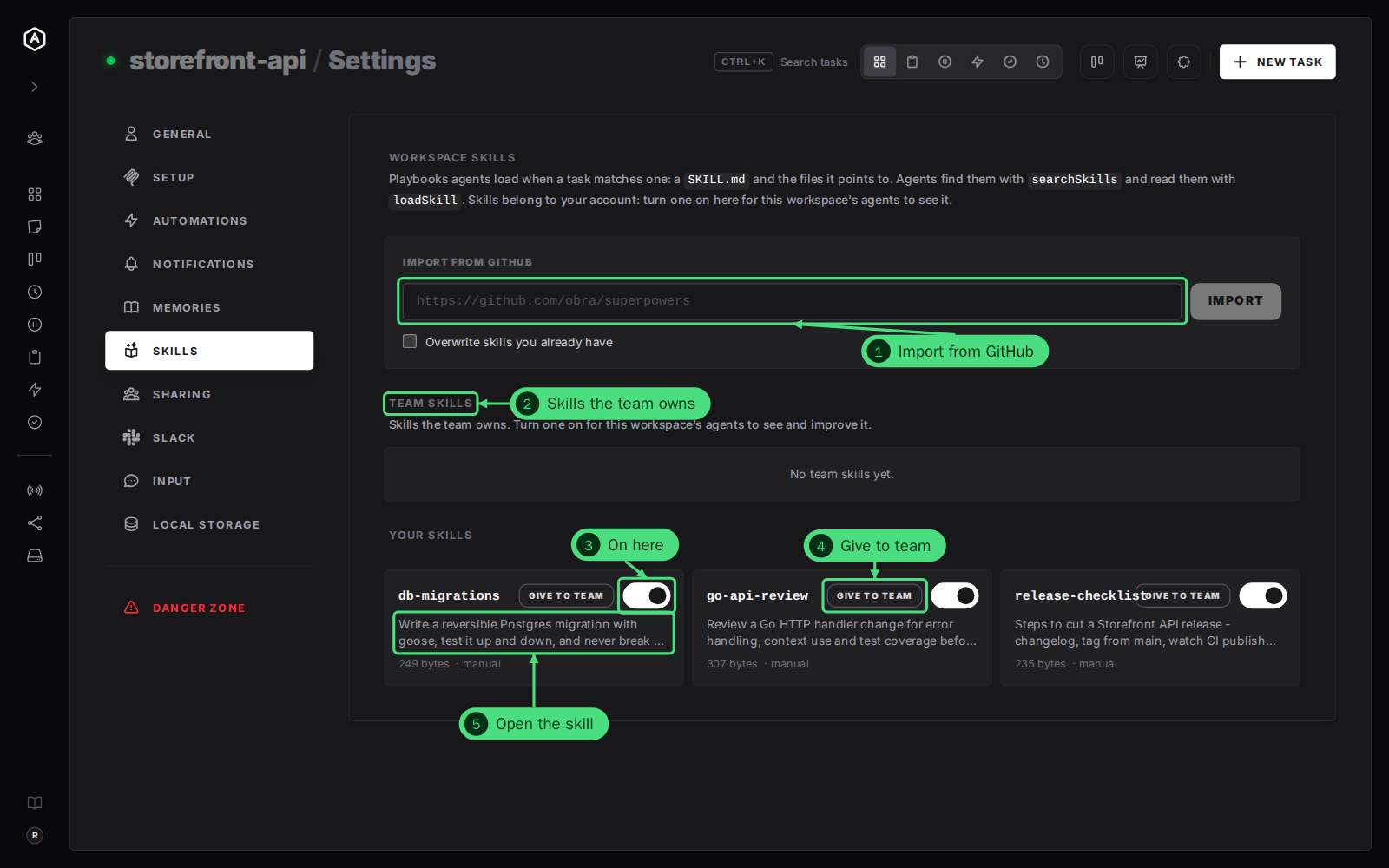
Each card shows the skill's size and where it came from: manual for one an agent or you wrote, or the repository it was imported from. Modified means it was changed after the import.
Step by Step: A Skill's Own Page
1. Available to agents is the account-wide switch. Off, the skill is kept but no agent finds it, in any workspace.
2. Workspaces lists every workspace that can use it. Tick a workspace to turn the skill on there, untick it to turn it off.
3. Delete removes the skill from your account.
4. Files lists the skill's files. Click one to read it on the right.
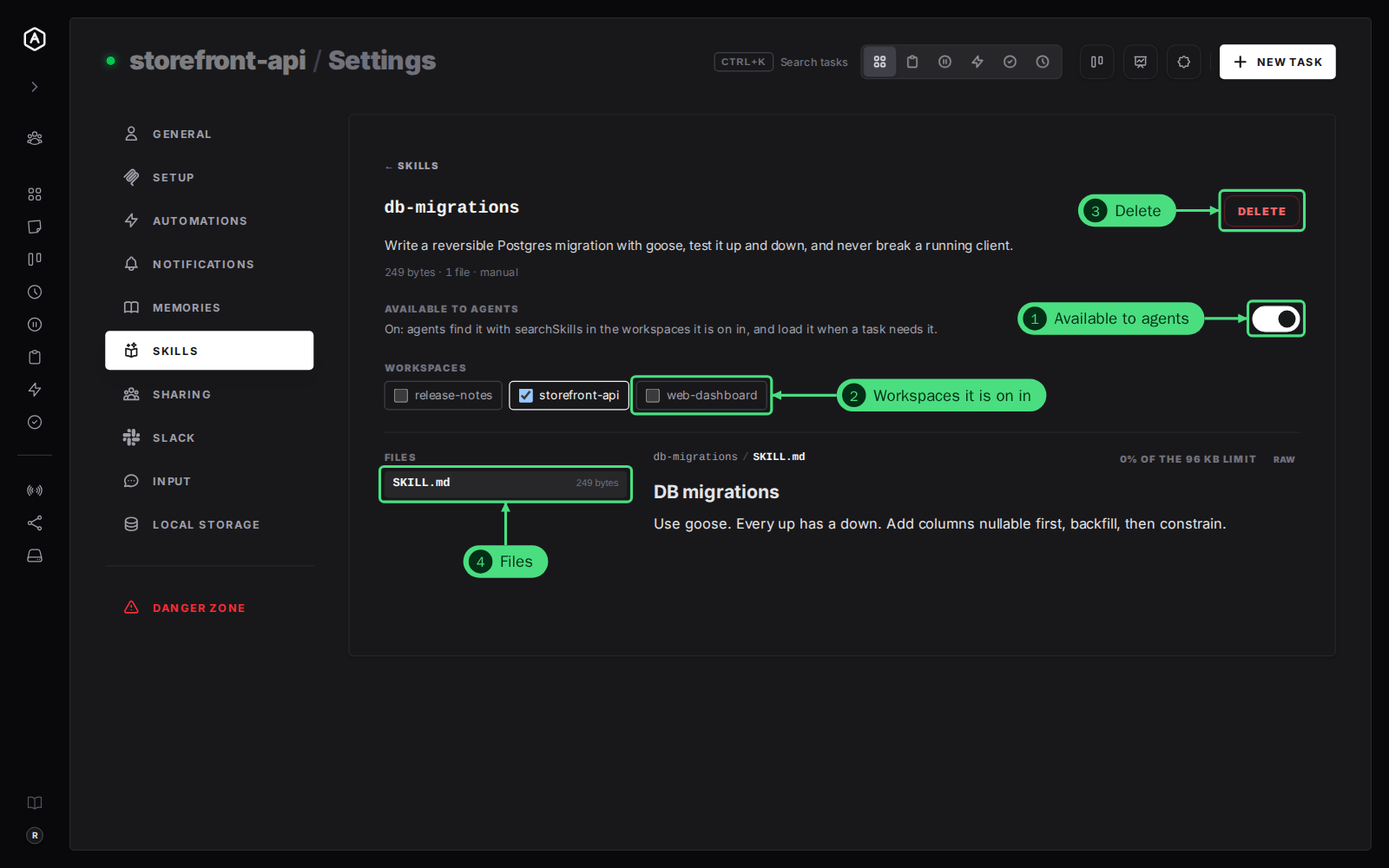
← Skills at the top goes back to the list.
Good to Know
- → Agents write skills too. An agent saves one with its AgentRQ skills tool. Point it there with the Self-Learning Strategy.
- → One skill, many workspaces and machines. A skill is stored once in AgentRQ and served to every agent that has it on, wherever it runs. See distributed skills.
- → Forks use their parent's skills. They are not listed on a skill's page.
FAQ
Why do I see "Off for all workspaces" on a card?
The skill's Available to agents switch is off, which hides it everywhere, whatever this workspace's switch says. Open the skill and turn it on.
How do I use a teammate's skill?
Through a team workspace: see use a teammate's skills.